16
3
CONVENTIONAL OPERATION
■ Scrambler function
The optional voice scrambler units UT-109 (#01) and UT-110 (#01)
provide high performance private communication between stations
with the same scrambler codes.
➥ Push and hold [Scrambler] to turn the scrambler function ON.
➥ Push [Scrambler] to turn the scrambler function OFF.
■ Setting the squelch level
The squelch circuit mutes the received audio signal depending on
the signal strength.
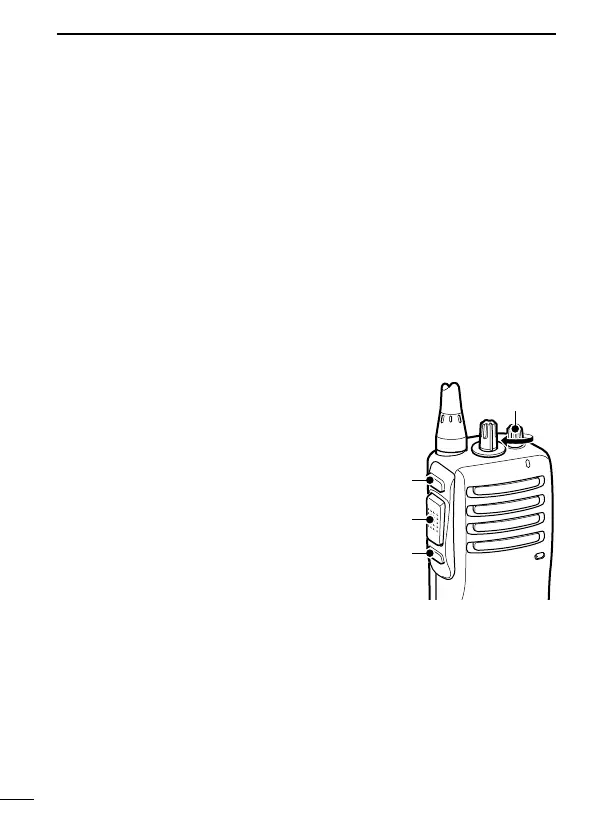
q While pushing [PTT] and [Lower],
rotate [VOL] to turn the power ON
to enter the squelch level adjust-
ment mode.
w Push [Upper] to increase the
squelch level (tight squelch) or
[Lower] to decrease the squelch
level (loose squelch).
e Rotate [VOL] to turn the power
OFF to fix the squelch level.


 To Next Page
 Loading...