DEALER-PROGRAMMABLE FUNCTIONS
• General
Ask your Icom Dealer
or
system operator
for
details concern-
ing
your
transceiver's
programming.
When
available, pro-
grammed
functions
are
assigned
to
one
of
several
switches/keys.
~
In
the following explanations, [P] is meant to stand for one
of the dealer-programmable switches/keys (and depends
on the transceiver's programming).
<>
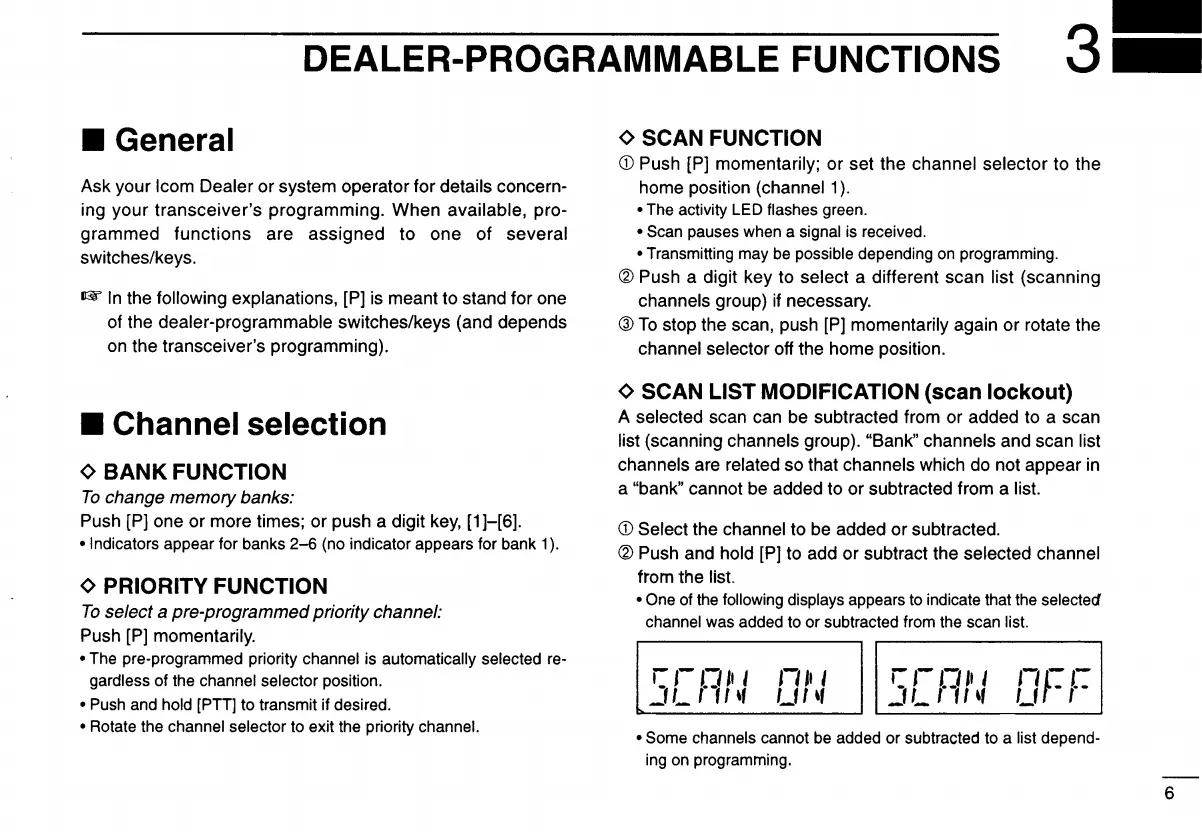
SCAN FUNCTION
CD
Push [P] momentarily; or set the channel selector to the
home position (channel 1
).
• The activity LED flashes green.
• Scan pauses when a signal is received.
• Transmitting may be possible depending
on
programming.
@ Push a digit key to select a different scan list (scanning
channels group)
if
necessary.
@
To
stop the scan, push [P] momentarily again
or
rotate the
channel selector off the home position.
• Some channels cannot be added
or
subtracted to a list depend-
ing on programming.
CD
Select the channel to be added
or
subtracted.
(IDPush and hold [P] to add or subtract the selected channel
from the list.
• One of the following displays appears to indicate that the selected
channel was added to
or
subtracted from the scan list.
<>
SCAN LIST MODIFICATION (scan
lockout)
A selected scan can be subtracted from or added to a scan
list (scanning channels group). "Bank" channels and scan list
channels are related so that channels which do not appear in
a "bank" cannot be added to or subtracted from a list.
"f-I.-
Lf
-,.-
r,-I.'"
I
.JL
r·"
'f
""
I
Lf
I "
¢ PRIORITY FUNCTION
To
select a pre-programmedprioritychannel:
Push [P] momentarily.
• The pre-programmed priority channel is automatically selected re-
gardless of the channel selector position.
• Push and hold [PTT] to transmit if desired.
• Rotate the channel selector to exit the priority channel.
¢
BANK
FUNCTION
To
change memory banks:
Push [P] one
or
more times; or push a digit key,
[1
]-[6].
• Indicators appear for banks
2-6
(no indicator appears for bank 1).
• Channel selection
6



 To Next Page
 Loading...