New2001
27
5
OTHER FUNCTIONS
New2001
1
2
3
4
5
6
7
8
9
10
11
12
13
14
15
16
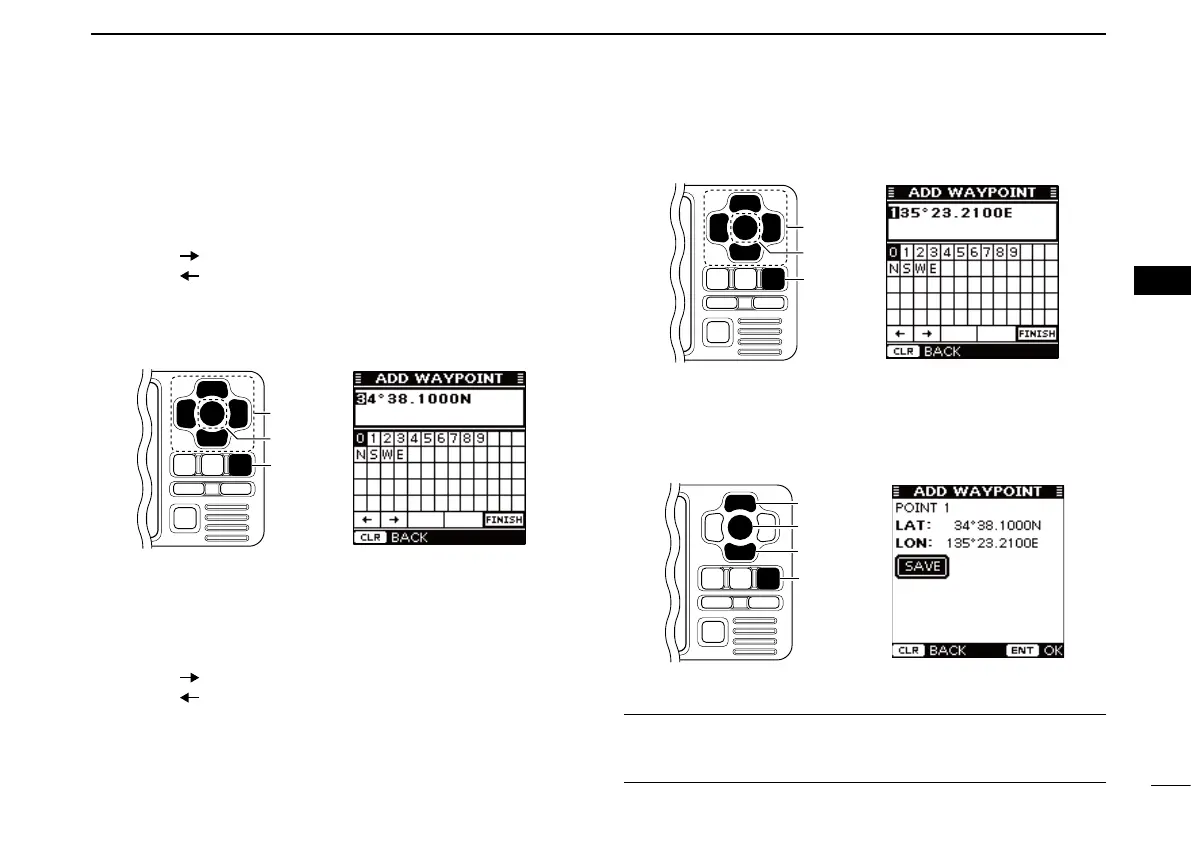
i Push [∫] or [√] to select “LAT:,” then push [ENT].
o Push [∫], [√], [Ω] or [≈] to set the desired latitude data in
the table, then push [ENT] to input it.
• Select “ ,” then push [ENT] to move the cursor forward.
• Select “ ,” then push [ENT] to move the cursor backward.
• Select “N,” then push [ENT] to input N; North latitude.
• Select “S,” then push [ENT] to input S; South latitude.
• “W” and “E” cannot be input.
• Push [CLEAR] to cancel and return to the previous screen.
[CLEAR]
[ENT]
[∫], [√],
[Ω], [≈]
!0 Push [∫], [√], [Ω] or [≈] to select “FINISH,” then push
[ENT] to set and return to the previous screen.
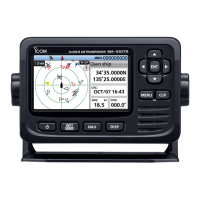
!1 Push [∫] or [√] to select “LON:,” then push [ENT].
!2 Push [∫], [√], [Ω] or [≈] to set the desired longitude data
in the table, then push [ENT] to input it.
• Select “ ,” then push [ENT] to move the cursor forward.
• Select “ ,” then push [ENT] to move the cursor backward.
• Select “W,” then push [ENT] to input W; West longitude.
• Select “E,” then push [ENT] to input E; East longitude.
• “N” and “S” cannot be input.
• Push [CLEAR] to cancel and return to the previous screen.
[CLEAR]
[ENT]
[∫], [√],
[Ω], [≈]
!3 Push [∫], [√], [Ω] or [≈] to select “FINISH,” then push
[ENT] to set and return to the previous screen.
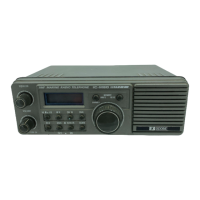
!4 Push [∫] or [√] to select “SAVE,” then push [ENT] to save
the waypoint data
and return to
the “WAYPOINT”
screen.
• Push [CLEAR] to cancel and return to the previous screen.
!5 Push [CLEAR] twice to exit the Menu mode.
Convenient!
Each time you hold down of [MOB] also adds a waypoint. See
page 28 to edit the waypoint data.


 To Next Page