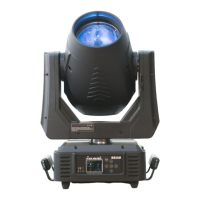
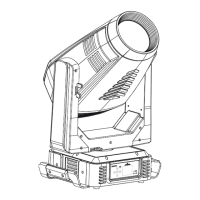
ICON EDGE USER MANUAL
21
9.1. Address
9.1.1. Address
With this function, you can adjust the desired DMX-address via the Control Board.
1. Access the main menu.
2. Tap the <Up/Down>button until“Address”is displayed.
3. Press ENTER, the display will show“Address”.
4. Tap the <Up/Down>button,to select desired address
5. Press ENTER to confirm or press <MODE/ESC> to return to the main menu.
9.2. Config
9.2.1. Mode
With this function, you can define the device as slave.
1. Tap <MODE/ESC>button,access the main menu,Tap the <Up/Down>button until “Config” is
displayed. Press ENTER.
2. Tap the <Up/Down>button until“Mode”is displayed.
3. Press ENTER, the display will show “Mode”.
4. The display show“Extended Mode, Press <Up/Down>, the display will show “Standard Mode”.
5. Press ENTER to confirm or press <MODE/ESC> to return to the main menu.
9.2.2. Select Signal
With this function, you can define the device as slave.
1. Tap <MODE/ESC>button,access the main menu,Tap the <Up/Down>button until “Config” is
displayed. Press ENTER Tap the <Up/Down>button until“Select Signal”is displayed.
2. Press ENTER, the display will show “Select Signal”.
3. The display show “DMX Only, Press <Up/Down>, the display will show “Art-Net On IP2”, “Art-Net
On IP10”.
4. Press ENTER to confirm or press <MODE/ESC> to return to the main menu
9.2.3. Set Universe
1. Tap <MODE/ESC>button,access the main menu,Tap the <Up/Down>button until “Config” is
displayed. Press ENTER, the display will show “Config”.
2. Press <Up/Down>,Until display shows “Set Universe”.
3. Press< ENTER>, the display will show “Set Universe”.
4. The display show “001~255”.
5. Press <ENTER> to confirm or press <MODE/ESC> to return to the main menu.
9.2.4. Pan and Tilt
Tilt Reverse
With this function you can reverse the Tilt-movement.
1. Tap <MODE/ESC>button,access the main menu,Tap the <Up/Down>button until“Config”is
displayed. Press ENTER, the display will show “Config”. Tap the <Up/Down>button until the
display will show “Pan and Tilt”. Press ENTER.
2. Press <Up/Down>, the display will show “Tilt Reverse”.
3. Press< ENTER>, the display will show “Tilt Reverse”.
4. The display show “OFF, Press <Up/Down>, the display will show “ON”.
5. Press <ENTER> to confirm or press <MODE/ESC> to return to the main menu.
Pan Reverse
With this function you can reverse the Pan-movement.
1. Tap <MODE/ESC>button,access the main menu,Tap the <Up/Down>button until“Config”is
displayed. Press ENTER, the display will show “Config”. Tap the <Up/Down>button until the
display will show “Pan and Tilt”. Press ENTER.
2. Press <Up/Down>, the display will show “Pan Reverse”.
3. Press< ENTER>, the display will show “Pan Reverse”.
4. The display show “OFF, Press <Up/Down>, the display will show “ON”.


 To Next Page
 Loading...