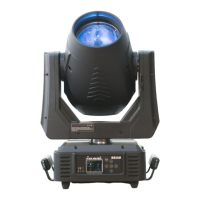
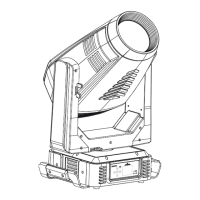
ICON EDGE USER MANUAL
22
5. Press <ENTER> to confirm or press <MODE/ESC> to return to the main menu.
Feedback
With this function, you can feedback switch of pan movement or tilt movement.
1. Tap <MODE/ESC>button,access the main menu,Tap the <Up/Down>button until“Config”is
displayed. Press ENTER, the display will show “Config”. Tap the <Up/Down>button until the
display will show “Pan and Tilt”. Press ENTER.
2. Press <Up/Down>, until the display shows “Feedback”.
3. Press< ENTER>, the display will show “Feedback”.
4. The display show “ON, Press <Up/Down>, the display will show “OFF”.
5. Press <ENTER> to confirm or press <MODE/ESC> to return to the main menu.
9.2.5. Dimmer Curve
With this function, you can select between Standard and linear modes.
1. Tap <MODE/ESC>button,access the main menu,Tap the <Up/Down>button until“Config”is
displayed. Press ENTER, the display will show “Config”. Tap the <Up/Down>button until the display
shows “Dimmer Curve”. Press ENTER.
2. The display show “Normal”, Press <Up/Down>, the display will show “Linear”
3. Press <ENTER> to confirm or press <MODE/ESC> to return to the main menu.
9.2.6. Beam enable Rot. gobo
1. Tap <MODE/ESC>button,access the main menu,Tap the <Up/Down>button until “Config” is
displayed. Press ENTER.
2. Tap the <Up/Down> button until “Beam enable Rot. Gobo” is displayed.
3. Press ENTER, the display will show “Beam enable Rot. Gobo”.
4. The display show “ALL METAL GOBO”, Press <Up/Down>, the display will show “ALL GLASS
GOBO”, “GOBO8 IS GLASS”.
5. Press ENTER to confirm or press <MODE/ESC> to return to the main menu
9.2.7. Reset to Factory Defaults
1. Tap <MODE/ESC>button,access the main menu,Tap the <Up/Down>button until“Config”is
displayed. Press ENTER.
2. Press <Up/Down>, until the display will show “Reset Defaults”.
3. Press< ENTER>, the display will show “Reset Defaults”.
4. The display show “OFF”, Press <Up/Down>, the display will show “ON”.
5.Press <ENTER> to confirm or press <MODE/ESC> to return to the main menu.
9.3. Lamp
9.3.1. Lamp Power
With this function you can switch the lamp on or off via the Control Board.
1. Tap <MODE/ESC>button,access the main menu,Tap the <Up/Down>button until“Lamp”is
displayed. Press ENTER. Tap the <Up/Down>button until the display will show “Lamp Power”.
Press ENTER, the display will show “Lamp Power”.
2. Press <Up/Down>, the display will show “OFF”or“ON”.
3. Press <ENTER> to confirm or press <MODE/ESC> to return to the main menu.
Remark: The menu Lamp On/Off is the software command only, the lamp can be striked successfully
only when the menu Lamp is set to ON and the actual temperature is lower than the limited value.
9.3.2. Automatic On
With this function you can select if the lamp will be switched on when switching the power on. Select
“ON” by turning the encoder if you wish to enable this function or “OFF” if you don’t.
1. Tap <MODE/ESC>button,access the main menu,Tap the <Up/Down>button until“Lamp”is
displayed. Press ENTER. Tap the <Up/Down>button until the display will show “Automatic On”.
Press ENTER, the display will show “Automatic On”.
2. Press <Up/Down>, the display will show “OFF”or“ON”.
3. Press <ENTER> to confirm or press <MODE/ESC> to return to the main menu.


 To Next Page
 Loading...