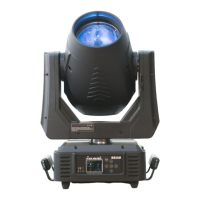
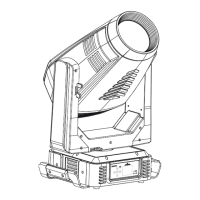
ICON EDGE USER MANUAL
23
9.3.3. Lamp Hours
With this function, you can display the running time of the lamp. The display shows “XXXX”, “XXXX”
stands for the number of hours.
1. Tap <MODE/ESC>button,access the main menu,Tap the <Up/Down>button until “Lamp” is
displayed. Press ENTER.
2. Press <Up/Down>, until the display shows “Lamp Hours”.
3. Press< ENTER>, the display will show “Lamp Hours”.
4. The display will show “XXXX” (Hours) ;
5. Press <ENTER> to confirm or press <MODE/ESC> to return to the main menu.
9.3.4. Password
With this function, you can display the timer password. The time password is 038.
1. Tap <MODE/ESC>button,access the main menu,Tap the <Up/Down>button until“Lamp”is
displayed. Press ENTER.
2. Press <Up/Down>, until the display shows “Password”.
3. Enter Password, the time password is 038.
4. Press <ENTER> to confirm or press <MODE/ESC> to return to the main menu.
9.3.5. Reset Lamp Hours
With this function you can clear the running time of the lamp. Please clear the lamp time every time
you replace the lamp.
1. Tap <MODE/ESC>button,access the main menu,Tap the <Up/Down>button until“Lamp”is
displayed. Press ENTER.
2. Press <Up/Down>, until the display shows “Reset Lamp Hour”.
3. Password must be entered (see 9.3.4.) correctly, press< ENTER>, the display will show “Reset
Lamp Hour”.
4. The display will show “OFF”or“ON”.
5. Press <ENTER> to confirm or press <MODE/ESC> to return to the main menu.
9.3.6. Temperature
Head Temperature
With this function you can display the temperature from the sensor located near CMY-filter in Celsius
& Fahrenheit.
1. Tap <MODE/ESC>button,access the main menu,Press the <Up/Down>button until“Lamp”is
displayed. Press <ENTER>. Tap the <Up/Down>button until“Temperature”is displayed. Press
ENTER.
2. Press <Up/Down>, the display will show “Head Temp”.
3. Press< ENTER>, the display will show “Head Temp”.
4. The display show “XXX °C/ °F”.
5. Press <ENTER> to confirm or press <MODE/ESC> to return to the main menu.
9.4. Reset Function
With this function you can reset the device via the Control Board. You can select the different reset
functions by turning the encoder.
1. Tap <MODE/ESC>button ,access the main menu,Tap the <Up/Down>button until“Reset
Function”is displayed. Press ENTER.
2. The display show “All”, Press <Up/Down>, the display will show “Pan/Tilt”, “Others”.
3. Press <ENTER> to confirm or press <MODE/ESC> to return to the main menu.
9.5. Communication
9.5.1. Read DMX Value
With this function you can display the DMX 512 value of each channel. The display automatically
shows the channel with a value changing.
1. Tap <MODE/ESC> button , access the main menu , Press the <Up/Down>button
until“Communication”is displayed. Press <ENTER>. Tap the <Up/Down>button until“Read DMX
Value”is displayed. Press ENTER.
2. The display show “All Control……”.


 To Next Page
 Loading...