TM
Assigning MIDI functions with iMap
TM
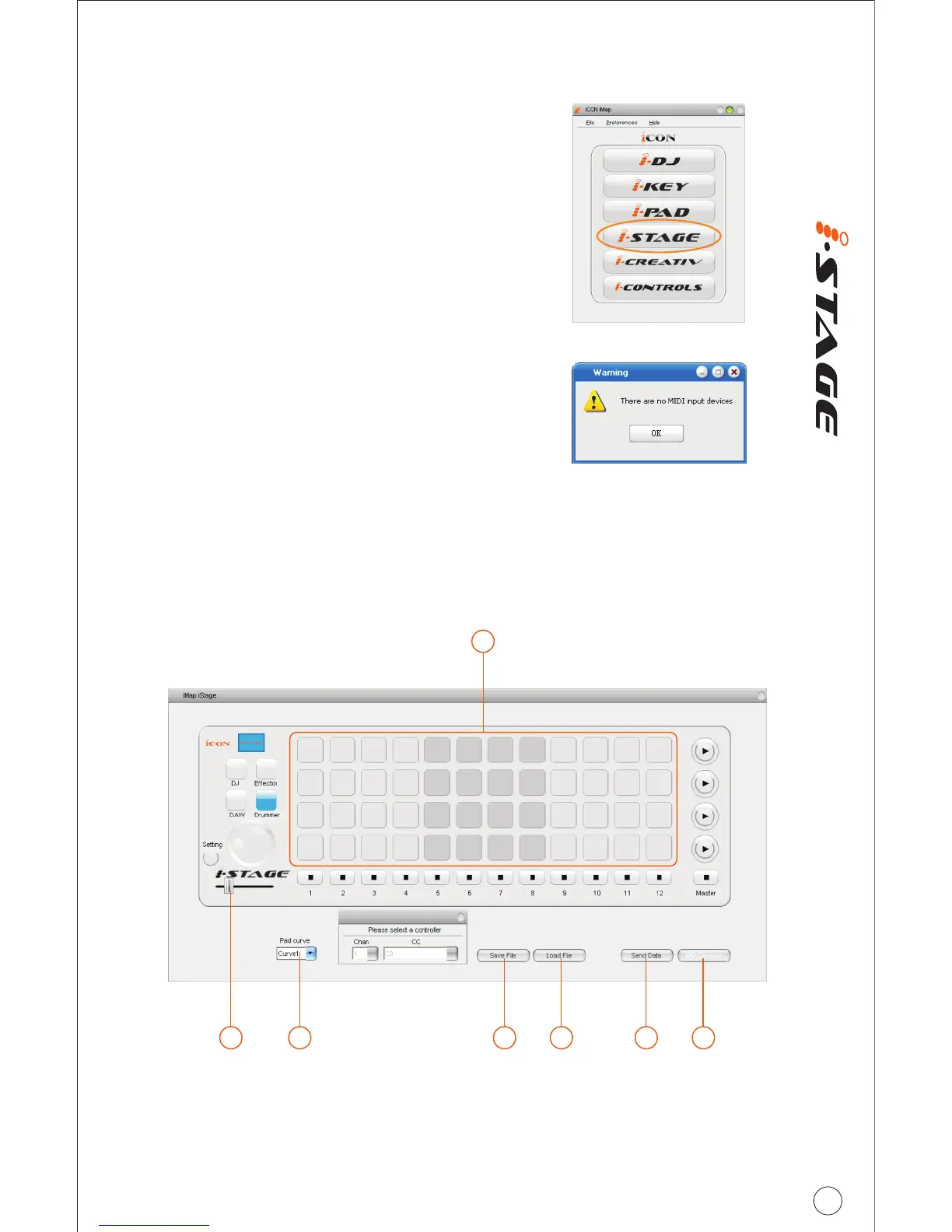
You can use iMap to assign the drum
note easily for your iStage. Please
TM
launch the iMap software, a device
selector screen will appear as shown
in diagram 1. Then click the “iStage”
button.
Note: You must activate “Drum” mode
to drum note for each pad.
Note: If your iStage is not connected to your
Mac/PC, the message “There are no MIDI input
devices” will appear. Please connect iStage to
your Mac/PC with the provided USB cable.
Diagram 1
Diagram 2
TM
iMap iStage software panel
10
1
23 4 5 6 7



 To Next Page