Getting Started
4
Assign the buttons accordingly
Assign the buttons according to your project for each mode.
DJ mode: (1) Set the number of rows of clips. Press the “Setting” button
and rotate the jog wheel to set the row number.
(2) Using the “MIDI learn” function, assign each button to
match each clip for your whole matrix view.
Effector mode: Assign each button with your desired effect parameter.
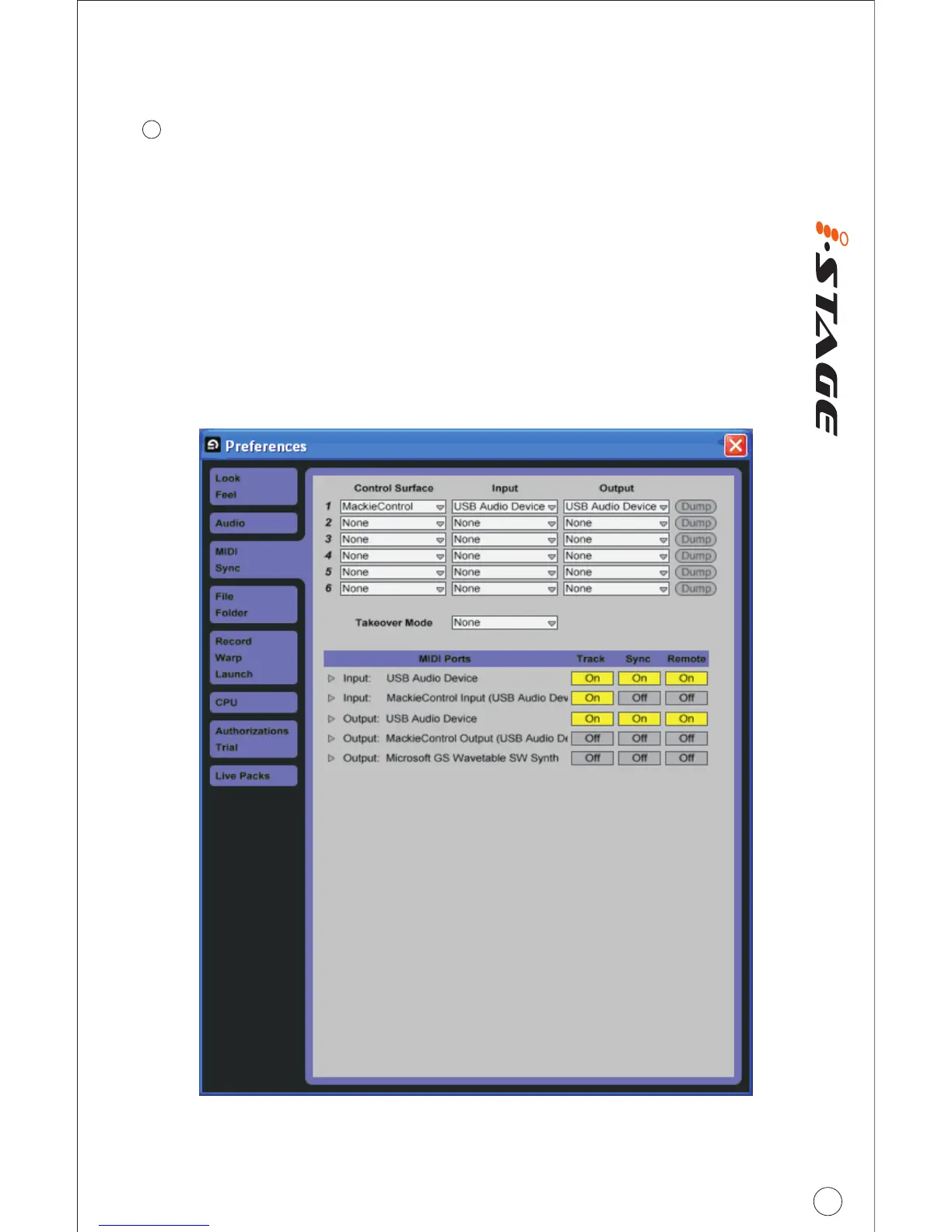
DAW mode: Activate “Mackie Control” in the MIDI device setup (i.e.
preferences). Select “USB Audio Device (2)” for input and output. Activate
the MIDI ports for the USB audio device's input and output as below image
shown.
Drum Mode: Create “Drum Rack” in audio effect. Use the provided iMap
software to map your drum note.
6



 To Next Page