TM
Installing iMap Software for Windows
TM
Please follow the procedures below step-by-step to install your iMap
software.
1
2
Turn on your PC.
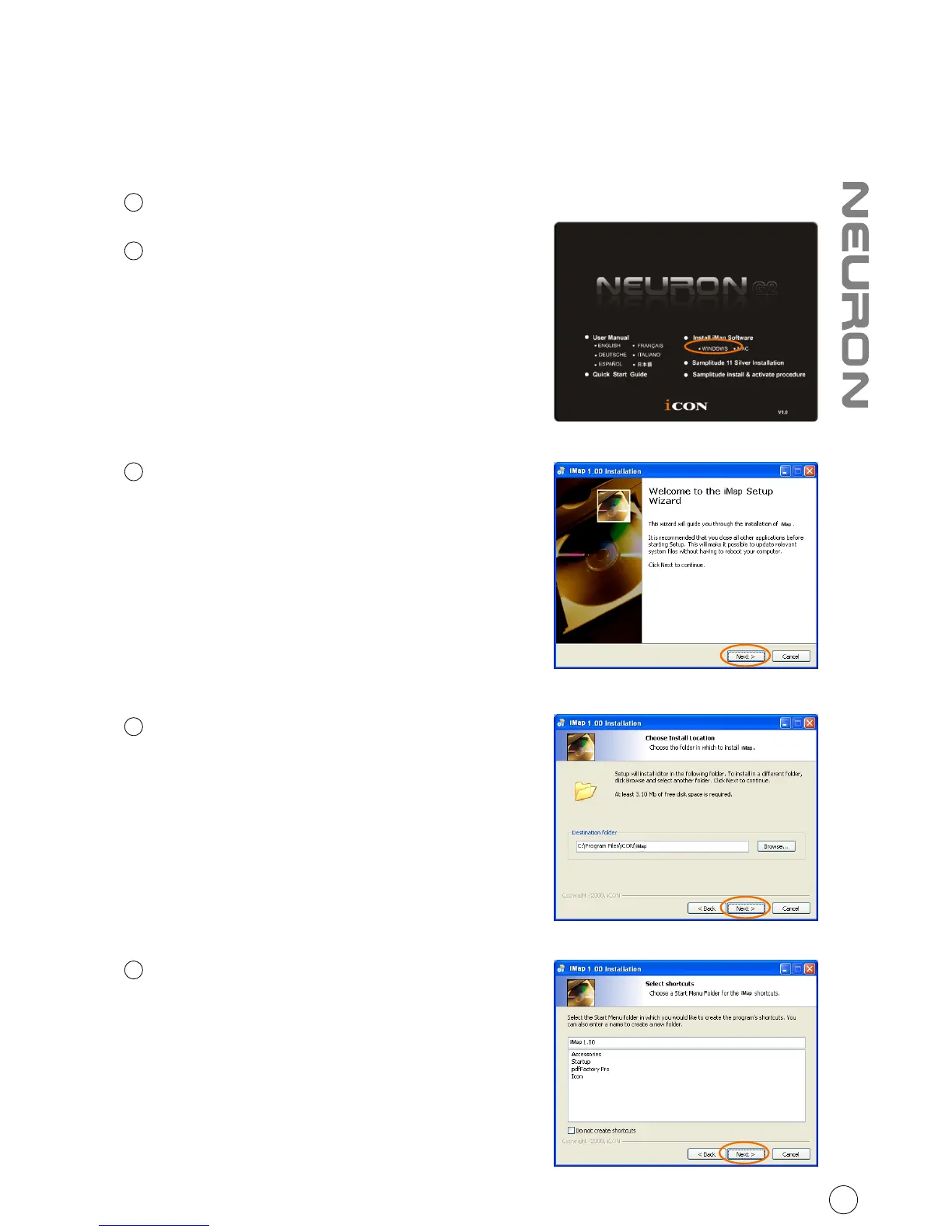
Diagram 1
Insert the Utility CD in your CD-Rom
After you have inserted the CD into
your CD-Rom, an installation screen
should appear as shown in diagram
TM
1; click "iMap installation".
(Note: If the installation screen not
appear automatically go to the CD
folder and double click on "Setup")
3
Setup Wizard appear
Setup wizard appears, please click
"Next"
4
Choose Install Location
Choose your preferred install
TM
location for iMap or use the
default location and click "Next"
5
Select shortcut
Select the start menu folder in
which you would like to create
TM
the iMap shortcut. Then click
"Next"
Diagram 3
Diagram 2
Diagram 4
8



 To Next Page