Mio X-Series User Guide Page 7
DIN 1 MIDI I/O
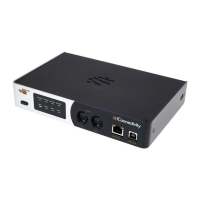
DIN 1 is a pair of ports (MIDI In and MIDI Out) on 5-pin DIN connectors (where ‘1’ denotes the
first pair of mioX DIN-MIDI ports). Connect these ports to other devices with DIN-type MIDI
connectors. Data flows into the mioX on a MIDI In port and flows out from a MIDI Out port.
Internally, the mioX routes MIDI data between these and all other I/O ports, as configured by
Auracle for X-Series software.
RTP / Network MIDI
The RTP-MIDI port transmits and receives RTP/Network MIDI on a standard ethernet-type
connector. Use the provided ethernet cable to connect to an RTP MIDI network (for example:
your computer or another mioX). If you need a longer run of ethernet cable, you can supply
your own standard ethernet cable of sufficient length. Internally, the mioX routes MIDI data
between this and all other I/O ports, as configured by Auracle for X-Series software.
The RTP-MIDI jack incorporates two useful LEDs:
• The yellow-orange LED lights to indicate the interface is connected to a functioning
network. This LED will stay on continually while you are connected to the network.
• The green LED lights to indicate network traffic, i.e., it will flash each time an ethernet
signal is sent or received via the RTP-MIDI port. Note that it is normal for this LED to
flash occasionally while it is connected to a network, even if you are not currently
sending MIDI at the time.
Device Port
The Device Port labelled USB-DAW is a standard USB Type-B connector. Using the provided
USB cable, connect your mioX to your computer (Type-B end of the cable to the mioX
USB-DAW port and the Type-A end to the computer). If your computer does not have USB
Type-A ports, you will need to purchase an adapter. Once connected, the mioX will appear on
your computer as a USB MIDI interface.



 To Next Page