PlayAUDIO
12
User Guide v1.0
4. On both computers (Computer A and Computer B), open your Digital Audio Workstation and load
your playback project.
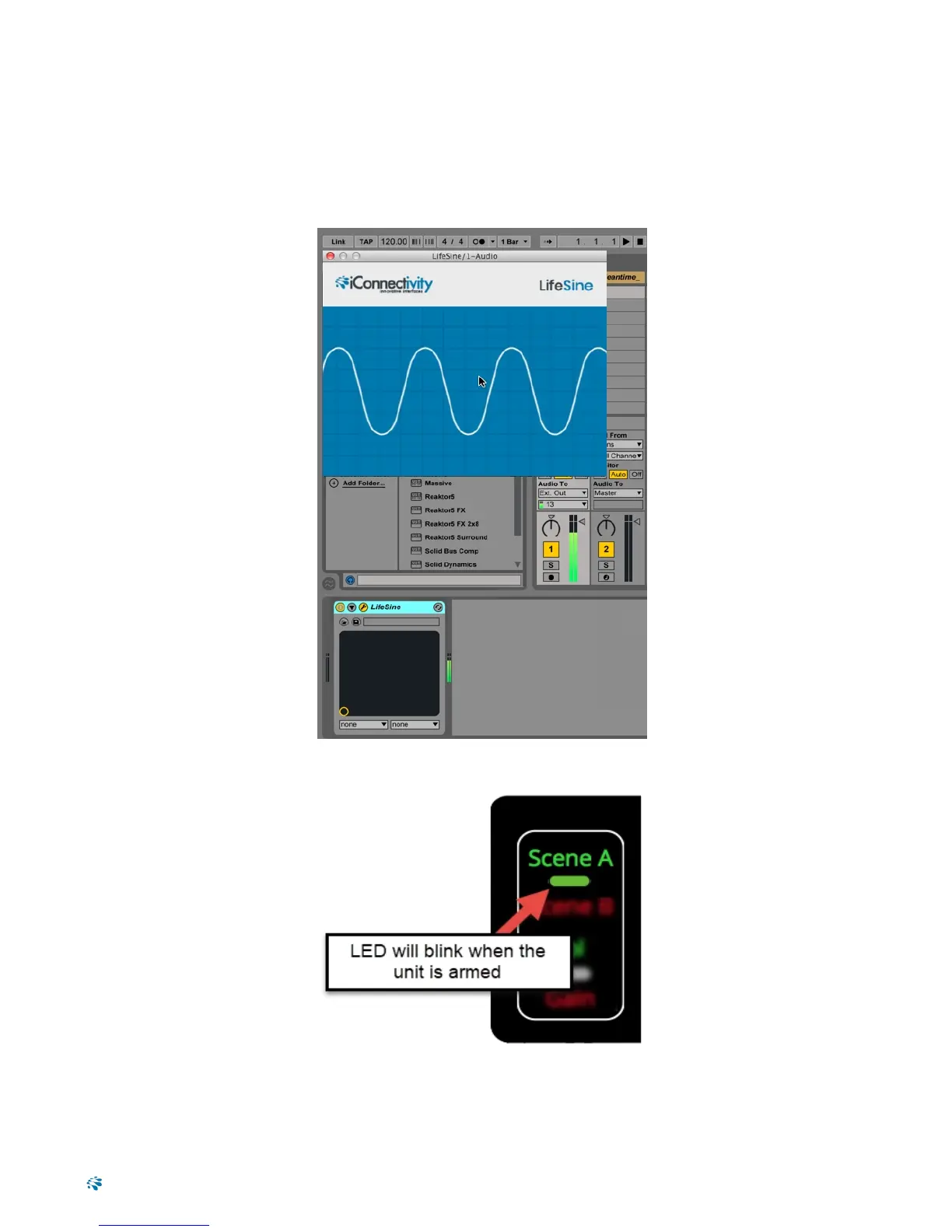
5. On Computer A (your primary playback device), instantiate your test tone plugin on a free track and
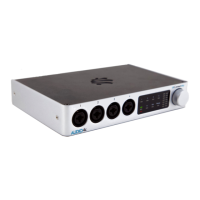
assign it to the PlayAUDIO12's audio output 13 (Control Tone). When your PlayAUDIO12 unit
detects the test tone, the green Scene A LEDlight will blink, indicating that the PlayAUDIO12 is
armed for automatic failover.
Figure 3: Sending the test tone to the PlayAUDIO12's audio output 13 from Ableton Live 9
Figure 4: The Scene A LED indicator will blink steadily when the unit is armed for automatic failover
10


 To Next Page