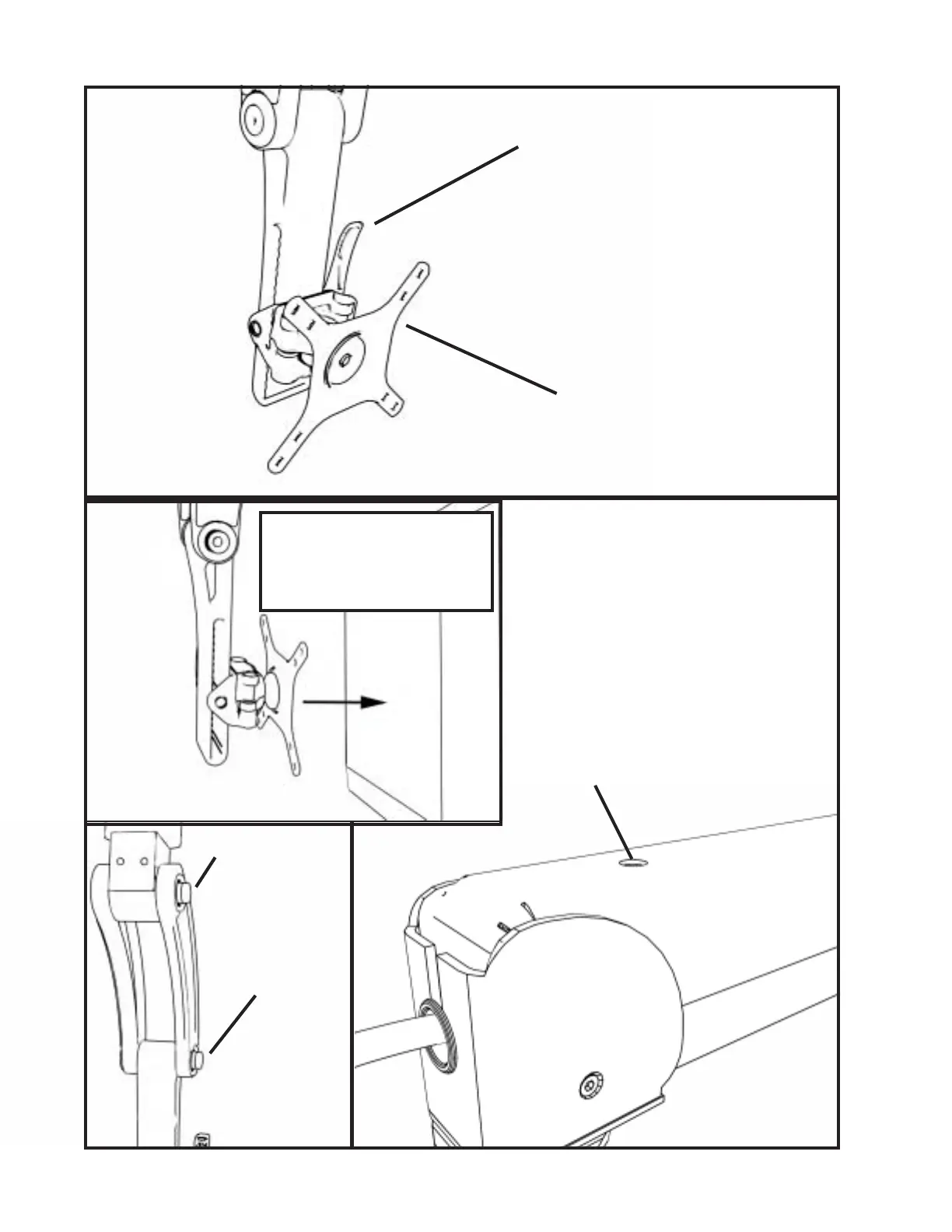
Your T-REX mount comes with a universal
VESA that will accommodate a 75mm or
100mm monitor.
Use the buttons to
adjust the tilt
of your monitor.
Lift gently on the
monitor to free
buttons from the
monitors weight.
Once your monitor is mounted, extend and
adjust the tension on the arm
using the t- handle adjustment wrench
provided.
Adjustment port.
Thank you for your purchase of an ICW Titan Elite arm. Any questions please call 1-800-558-4435
Attach your monitor to the
T-REX mount using the 4mm
screws in your hardware bag.
Use the slider handle to move your monitor along
the slide rail.


 To Previous Page