USB Charger Output ( USB CHARGER)
You may connect your smartphone / tablet to this port for charging.
Note: charging cable is NOT included.
STD BY Buon
When unit is in standby mode, press this buon to turn on unit
When unit is ON, press and hold the buon to enter standby mode.
When unit is playing , short press the buon to turn off LED light show.
PAIRING & PLAY Buon
Press and hold this buon to reconnect Bluetooth connecon
Short press once to play Bluetooth music next file.
Short press twice to play Bluetooth music previous file
MICROPHONE LEVEL Knob
Turn this knob to adjust the microphone volume sound level.
MIC ECHO Knob
Turn this knob to adjust the echo sound effect.
LED LIGHT SHOW PANEL
BLUETOOTH / STANDBY Indicator
The indicator will light blue color when Bluetooth is successfully paired.
The indicator will flash blue color when Bluetooth start pairing.
The indicator will light red color when unit in standby mode.
LED ON / OFF Buon
Press to turn on /off disco ball light show
DISCO LED MODE Selector
Slide the switch to select different light effect for all light show.
VOLUME LEVEL Knob
Rotate the VOLUME knob to select sound level.
VOICE CHANGER Selector
You may change your microphone voice into beast (Low) or kid (Hi) by simply turn this knob
to High / Normal / Low.
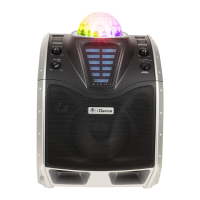
DISCO BALL
Different color LED light show
DC IN Jack
Connect the power adapter to power up of XD200.
MIC 1 / 2 IN (1/4” Jack) Input
6.3mm unbalanced jack for connect microphone.
GTR IN (1/4” Jack) Input
This jack can take a 6.3mm unbalanced cable for guitar (or other Hi-Z instrument) input
AUDIO OUT (RCA Jack) Output
Use RCA cable to connect the external PA system to this master output for bigger sound. The
level of this output is controlled by the master volume knob.
LINE IN (Aux In / Audio Input) Input
Connect a music device (MP3 player etc.) to this socket with a 3.5mm audio cable. The
external device will sound from XD200 speaker.
1.
2.
3.
4.
5.
6.
7.
8.
9.
10.
11.
12.
13.
14.
15.
16.
17.
CONTROL LOCATION (1.2)
E6


 To Next Page