LinkMaster™ PRO Tester Instructions
Warning!
Do not attach to energized cables. The LinkMaster™ Pro may be damaged.
Caution!
Inspect plugs for proper termination before inserting into the LinkMaster™ Pro. Do not use with 6
position plugs (RJ11) without an adapter. Minimum cable length for testing split pair condition is 3 feet.
LinkMaster™ Pro Key Functions
FEATURES
• Two line by 16 character full alphanumeric LCD with icons for clear results
• Tests for shield continuity, shorts, opens, miswires, reversals and split pairs with remote connected
• Pretest - One ended testing for shorts, opens and split pairs (no remote connected)
• Test results displayed in wire map format with message line for shorts and split pairs
• Displays PASS and sounds beep (optional) for T568A/B
• Will display wiremap for 10Base-T and Token Ring with remote connected
• Length measurement in feet or meters using cable capacitance method
• UTP, ScTP and coax length measurements with and without remote attached
• Coax mapping with up to eight color coded coax remotes
• Tone generator mode sends four different tones on all conductors, selected pair or selected pin
• Auto-on of LinkMaster™ Pro when remote is installed
• Auto-off in any mode and low power consumption for long battery life
• Low battery symbol indicates when to change battery
• Black battery cap allows for quick and easy battery change
• Two tester jacks allows patch cord testing without use of remote
• Will identify if connected to network device during length test
• 9 volt battery included
Four modes of operation
• Pretest
• Length
• Tone
• Coax
Setup mode
• To set user selectable options
• Push Mode to exit
Arrow Keys
• To change length constant
(see chart for required parameters)
• To change pair or pin selection for tone
• To scroll through setup selectable options
• Remote jack
for patch cords
Power ON by pressing any button
Press SEL to:
• Execute current displayed
mode
• Start new test cycle
• Select one of four tones
• Change pair being
measured for length
• Change user selectable options
- Beep On/Off
- Unshielded or Shielded Cable
- Units - Feet or Meters
• Main jack for all
testing

 Need help?
 General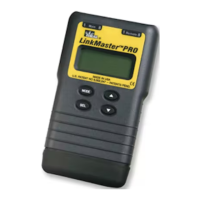

 To Next Page