28
3
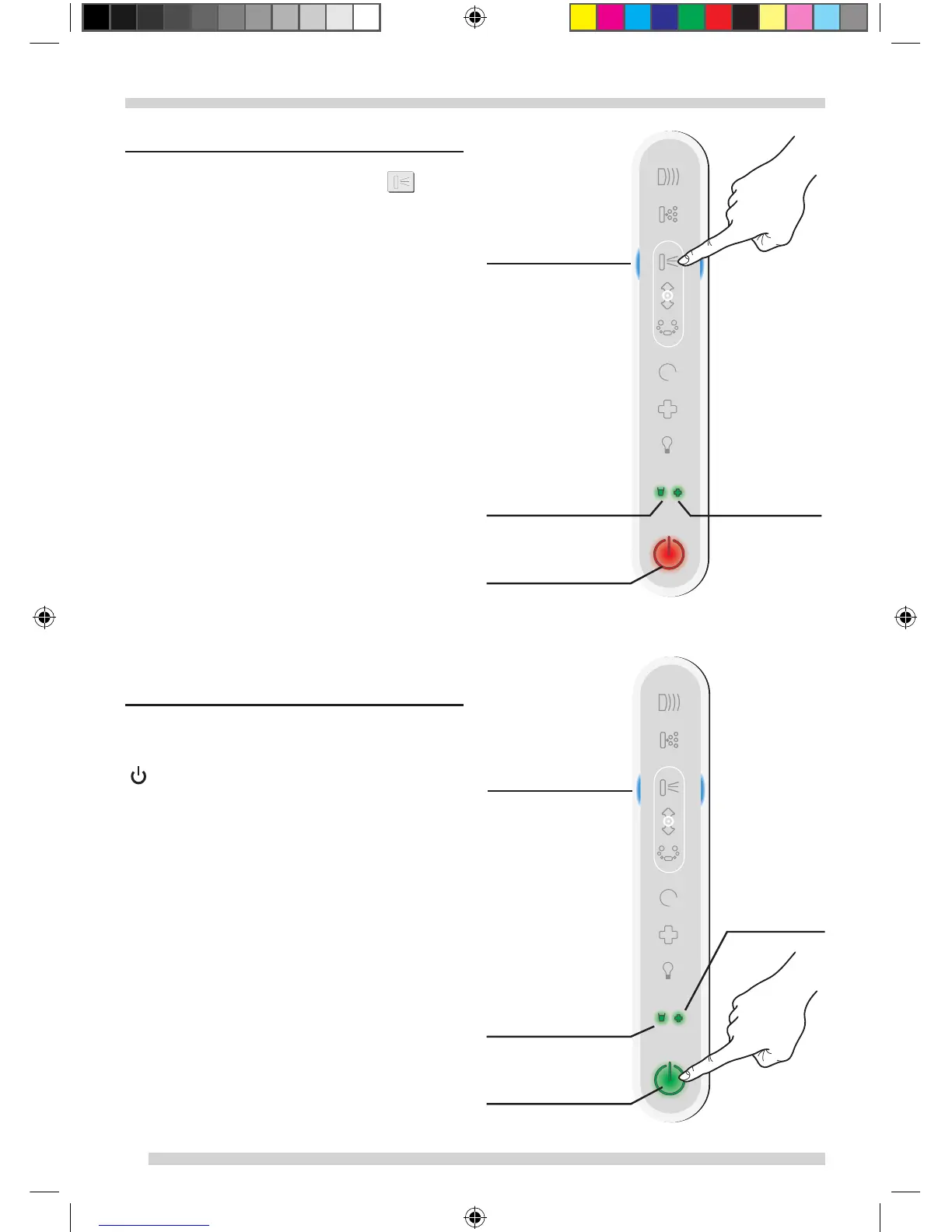
1) SELECTION OF FUNCTIONS
-
To select a function, press the key ( )
. After
activation, the LED of the selected function turns
blue (e.g.
2) STARTING and SHUTTING DOWN THE
SYSTEM
To start, after selecting the desired function
(direct or secondary), press the 0/I start key
(
) within 5 second. The LED for the activated
function will be blue, and the 0/I LED will turn
green.
To shut down, it is possible to shut down a “direct”
or “secondary” function in advance by pressing
the corresponding key again, or you can shut the
system down entirely by pressing 0/I.
TT0283660_05_PREMIUM_CMYK.indd 28 28/03/11 16.05




 To Next Page