EasyManua.ls Logo

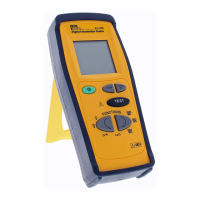
IDEAL TightSight 61-740 Series - User Manual

IDEAL TightSight 61-740 Series
2 pages
Print Icon
To Next Page IconTo Next Page
Loading...
Reference material. Scroll to page 2 for the recommended statement.
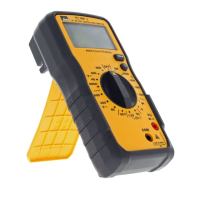
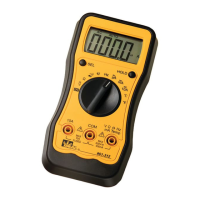
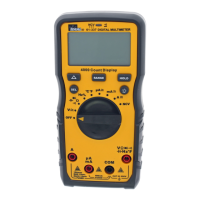
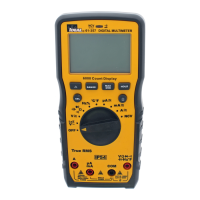
TightSight 61-740 61-760 61-770 series
Maintenance:
Switch off and disconnect the meter completely before carrying out any maintenance. Clean the
case with a damp cloth and mild detergent. Do not use abrasives or solvents. Keep away from
liquids and ensure the meter is completely dry before use.
Service and Replacement Parts:
This unit has no user-serviceable parts.
For replacement parts or to inquire about service information contact IDEAL INDUSTRIES, INC.
at 1-877-201-9005 or visit our website www.idealind.com.
SureTrace
Maintenance
Clean the case with a damp cloth and mild detergent. Do not use abrasives or solvents. Keep away
from liquids and ensure the tracer is completely dry before use.
Light Meter 61-686
CLEANING AND STORAGE
1. The white plastic light sensor should be cleaned with a damp cloth when
necessary.
2. When the meter is not in use keep the light sensor covered with the light
sensor cap.
3. Remove the battery if the unit is not to be used for an extended period of time.
4. Store the meter in an area with moderate temperature and humidity (refer
to the operating and storage range in the specifications chart)
61-795 61-796 61-797 61-521 61-164 61-065 61-076, 61-340, 61-342
Maintenance
Clean the case with a damp cloth and mild detergent. Do not use
abrasives or solvents.
61-063
Maintenance
Do not attempt to repair this tester. It contains no user-serviceable parts. Repair
or serving should only be performed by qualified personnel.
Cleaning
• Remove grease and grime with a clean, dry cloth.
• Do not use abrasives or solvents.
61-486
Maintenance
Do not attempt to repair this meter. It contains no user
serviceable parts. Repair or servicing should only be
performed by qualified personnel.
Cleaning
Periodically, wipe the case with a dry cloth and detergent. Do
not use abrasives or solvents.
Question and Answer IconNeed help?

Do you have a question about the IDEAL TightSight 61-740 Series and is the answer not in the manual?

Overview

This document outlines maintenance and service procedures for various IDEAL INDUSTRIES, INC. meters, including the TightSight series (61-740, 61-760, 61-770), SureTrace, Light Meter 61-686, and other models (61-795, 61-796, 61-797, 61-521, 61-164, 61-065, 61-076, 61-340, 61-342, 61-063, 61-486). It also provides a generic, all-encompassing maintenance statement applicable to all meters.

General Maintenance Procedures for All Meters

For all meters, the primary maintenance recommendation is to switch off and disconnect the meter completely before performing any maintenance. The case should be cleaned with a damp cloth and mild detergent. It is crucial to avoid using abrasives or solvents, as these can damage the meter's casing. Meters should be kept away from liquids, and it's essential to ensure they are completely dry before use to prevent internal damage.

When storing meters, they should be kept in an area with moderate temperature and humidity, consistent with the operating and storage range specified in their respective specifications charts. For extended storage (longer than one month), or when not in use, it is recommended to remove all batteries to prevent potential damage to the meter from battery leakage or corrosion.

Service and Replacement Parts

A consistent theme across all listed meters is that they contain no user-serviceable parts. This means that users should not attempt to repair these devices themselves. For replacement parts or to inquire about service information, users are directed to contact IDEAL INDUSTRIES, INC. at 1-877-201-9005 or visit their website at www.idealind.com. For models 61-063 and 61-486, specifically, it is stated that repair or servicing should only be performed by qualified personnel.

Specific Meter Maintenance Details

TightSight 61-740, 61-760, 61-770 series

  • Maintenance: Follows the general guidelines: switch off, disconnect, clean with a damp cloth and mild detergent, avoid abrasives/solvents, keep dry.
  • Service and Replacement Parts: No user-serviceable parts. Contact IDEAL INDUSTRIES for service.

SureTrace

  • Maintenance: Similar to TightSight series: clean with a damp cloth and mild detergent, avoid abrasives/solvents, keep dry.

Light Meter 61-686

  • Cleaning and Storage:
    • The white plastic light sensor should be cleaned with a damp cloth as needed.
    • When not in use, the light sensor should be covered with its cap.
    • Remove the battery if the unit will not be used for an extended period.
    • Store in an area with moderate temperature and humidity (refer to specifications chart).

Models 61-795, 61-796, 61-797, 61-521, 61-164, 61-065, 61-076, 61-340, 61-342

  • Maintenance: Clean the case with a damp cloth and mild detergent. Do not use abrasives or solvents.

Model 61-063

  • Maintenance: Do not attempt user repair; no user-serviceable parts. Repair by qualified personnel only.
  • Cleaning: Remove grease and grime with a clean, dry cloth. Do not use abrasives or solvents.

Model 61-486

  • Maintenance: Do not attempt user repair; no user-serviceable parts. Repair by qualified personnel only.
  • Cleaning: Periodically wipe the case with a dry cloth and detergent. Do not use abrasives or solvents.

Generic All-encompassing Maintenance Procedures Statement for all meters

This section consolidates the general maintenance advice:

  • Switch off and disconnect the meter completely before maintenance.
  • Remove batteries during cleaning.
  • Clean case with a lightly dampened cloth and mild detergent.
  • Avoid abrasives or solvents.
  • Keep meter away from liquids and ensure it is completely dry.
  • Store in an area with moderate temperature and humidity (refer to specifications chart).
  • Remove all batteries for storage longer than one month to prevent damage.
  • Service and Replacement Parts: No user-serviceable parts. Contact IDEAL INDUSTRIES for service.

In summary, the document emphasizes user safety by requiring disconnection before maintenance, promotes longevity through proper cleaning and storage practices, and strictly limits user intervention in repairs, directing all service needs to the manufacturer.

IDEAL TightSight 61-740 Series Specifications

General IconGeneral
BrandIDEAL
ModelTightSight 61-740 Series
CategoryMultimeter
LanguageEnglish

Related product manuals