-1- -2- -3- -4-
-5-
-6- -7- -8- -9-
Note: If there is an abnormal output current the protection function will be enabled
and the corresponding characters on the LED screen will flash. Unplug the abnormal
charging device within 30 seconds to continue use, if not, the power station will turn
off automatically.
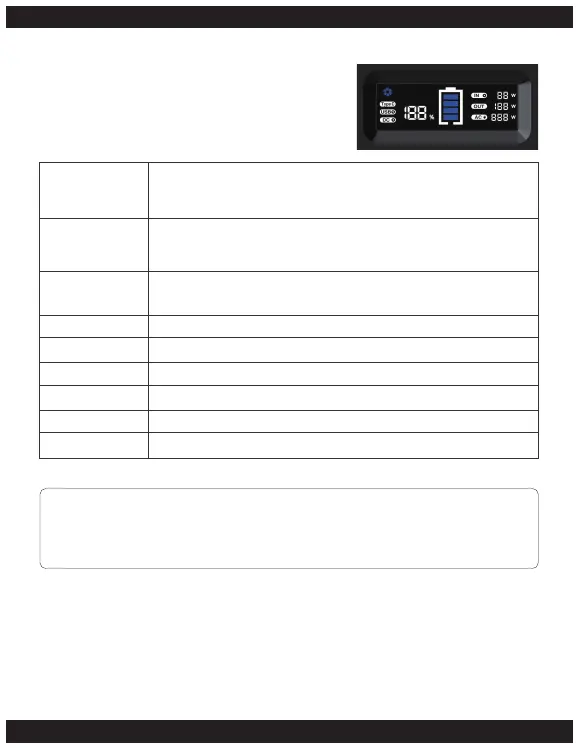
LCD Display
Battery Indicator
Input Charge
Output Charge
USB
Type C
DC
AC
IN
OUT
When the LED light is on or the power station is in use or being
charged the remaining power will be displayed with the battery
indicator lit and the battery percentage digits.
When charging the power station, the “IN”characters light up,
the input charge will display and the battery percentage digits
and battery indicator will be lit.
When any of the output ports are active the “OUT” characters
light up. The charge will display.
When any of the USB ports are in use the “USB” characters light up.
When the USB Type-C port is in use the “Type C” characters light up.
When any of the DC ports are in use the “DC” characters light up.
When any of the AC ports are in use the “AC” characters light up.
When any of the input ports are in use the “IN” characters light up.
When any of the input ports are in use the “OUT” characters light up.


 To Next Page