-1- -2- -3- -4-
-5- -6- -7-
-8- -9-
1. Place the solar panel in a place where the direct sunlight is strong; don't expose the
power station to direct sunlight or rain.
2. Connect the output of the solar panel to the DC Input Port of the power station.
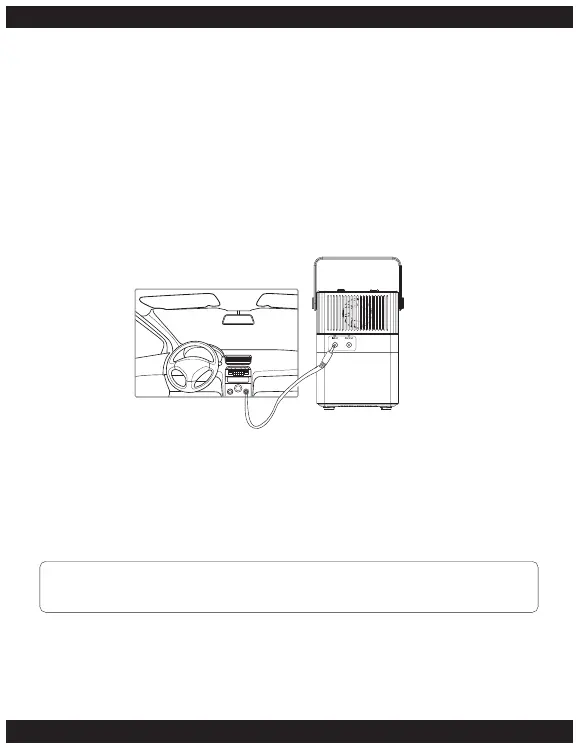
Charging with a Vehicle Charging Lead
To charge the BP300 power station with a vehicle charging lead. Connect one end of
the car charger to the DC Input Port.
Start your vehicle's engine and connect the other end of the charging lead to your
vehicles auxiliary/cigarette lighter port. The DC charging voltage range is 12V-24V.
Charging with USB Type-C
The power station can be charged with a USB Type-C lead.
Connect the USB Type-C adapter to the USB Type-C port, connect the other end to a
USB power outlet or an AC adapter and plug into a power outlet.
Warning:
Only use one of the charging methods at any time.


 To Next Page