IDEMIA DOCUMENT – REPRODUCTION AND DISCLOSURE PROHIBITED
By default, VisionPass will react when a user enters in the intention area, and will start facial acquisition as soon as a
user enters in the coding area and looks at the terminal. Note that the video stream is never recorded by VisionPass.
Even if the video stream is not recorded by the terminal, it can be requested to disable the cameras when they are
not necessary, for privacy concerns.
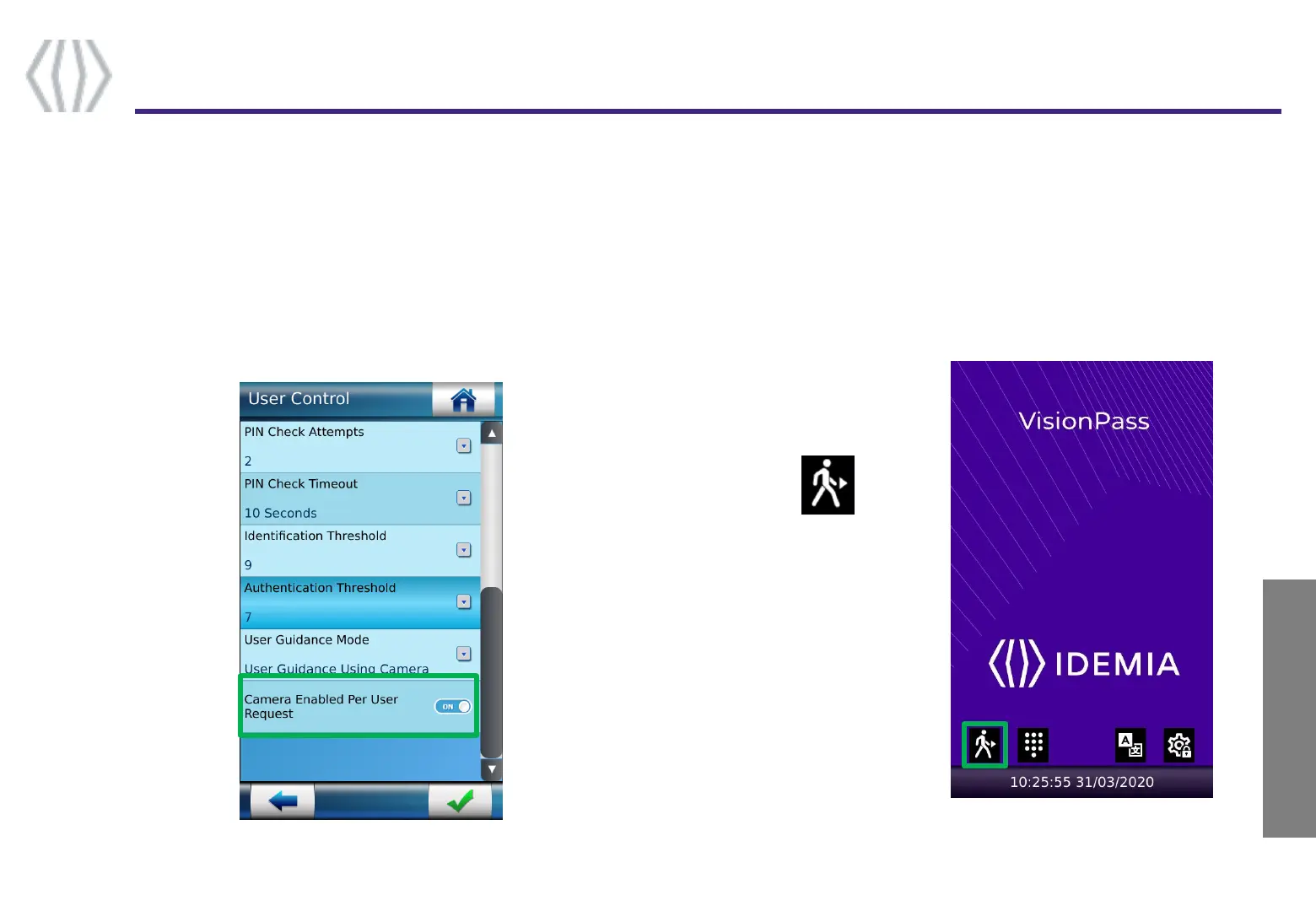
VisionPass can be configured to enable the cameras on user request only :
Deliberate trigger
12
Step one : overview
IDEMIA - 2019_2000045730 – V1
Activate Camera
Enabled Per User
Request in the
Security settings :
To use the terminal, user has
to click on the icon
Note : cameras will be enabled
also by entering ID on keypad
or tap the smartcard if theses
triggers are enabled



 To Next Page