uTrust TS KEYPAD User Manual
Phoenix connector Reader – 4 Holes and 1 Slot
6.4.2 Reader Installation Steps
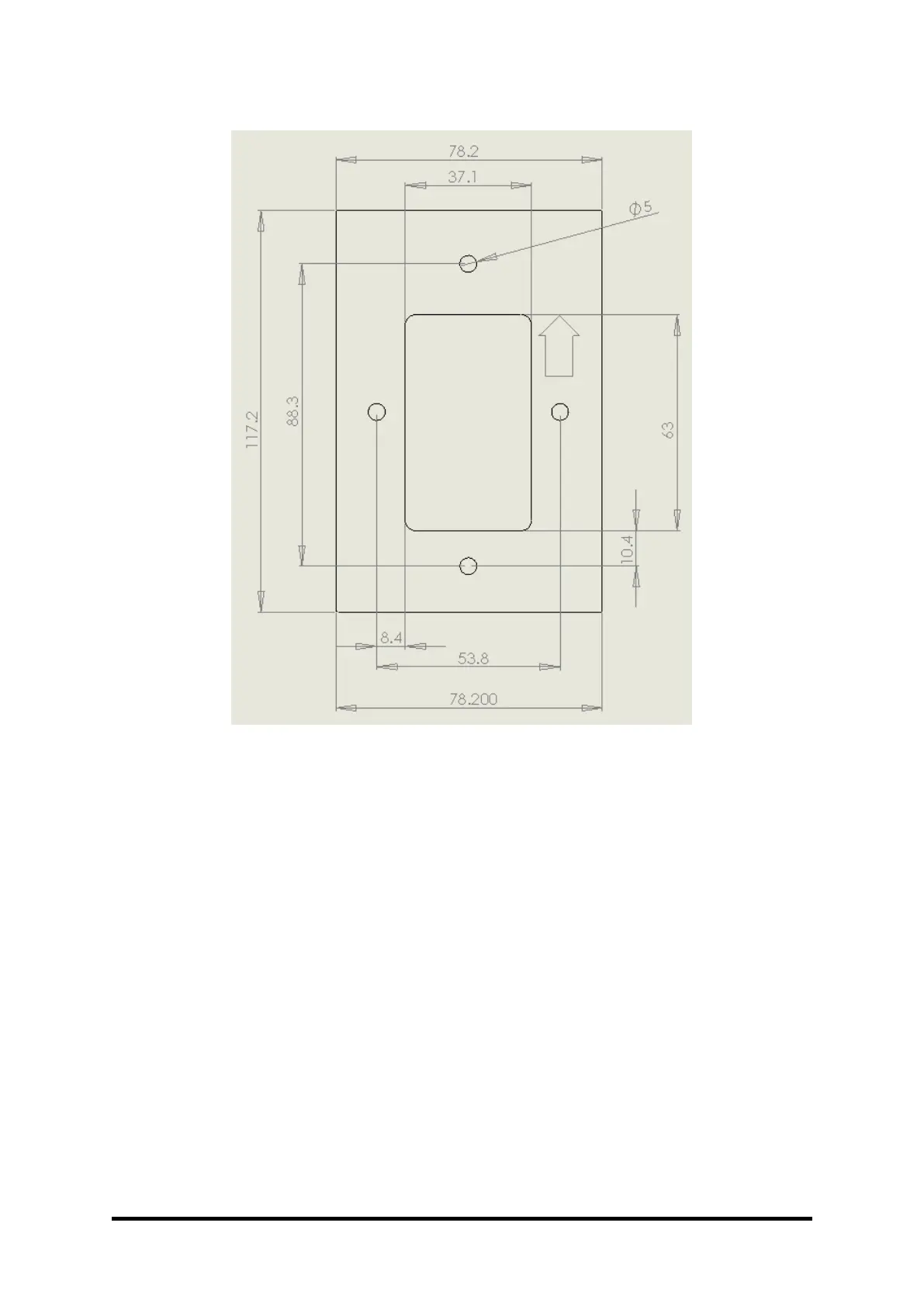
a. Make holes on the wall as per the image above.
b. Insert the nylon screw plugs into the wall.
c. Connect the wires as per the Table 2 or Table 3.
d. TouchSecure® reader with Bottom Casing is to be now secured onto the wall using the
Screws (A #6-18X1.5" SS )
e. The top casing can be inserted onto the bottom casing
f. Secure the Top and bottom casing by the Snake Eye Screw (SMF #6-32X5/16" SS)


 To Next Page