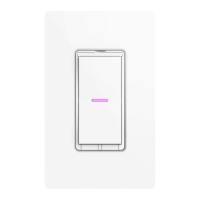
iDevices Switch
v1.0
1. In the Box
Inside your Switch box, you will find:
• 1 Indoor US Switch
• Quick Start Guide
2. System Requirements
• iPhone 5 or higher with iOS 8 or higher
• iDevices Connected App version 2.0 or higher
3. Getting Started
3.1 Unit Set Up
• Unbox Switch
• Note 8 digit code located on the back of the unit and on the Quick
Start Guide
• Plug your Switch into a grounded wall outlet
• The Switch will blink blue indicating it is ready to pair
o Blue blinking will slow down if the unit is not paired to
o To reinitiate pairing, hold the button down for 5 seconds
o Unit will blink blue faster, indicating it is ready to pair
• An accessory (lamp, fan, etc) can be plugged in at any time
• Clicking the button on the side of the unit will manually turn the
Switch on or off.
3.2 iDevices Connected App
• Ensure your device WiFi is turned and is connected to your home WiFi
Network
o 2.4 Ghz b/g/n networks are compatible
o 5Ghz networks are not compatible
• Download the iDevices Connected App from the App Store
• Open the iDevices Connected App
3.3 Connecting To Your Switch
• Open the iDevices Connected App



 To Next Page