34 35
WIRELESS COMMUNICATION SETUP
The wireless setup is a 2 step process for a 3-way Switch conguration.
First you will pair the Primary Switch to the Secondary Switch, then
you will add the Primary Switch to your Wi-Fi
®
network.
PAIRING THE PRIMARY TO THE SECONDARY SWITCH
STEP 1
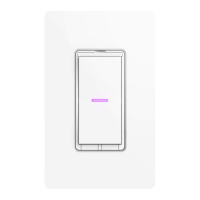
Ensure power/breaker is turned back on and the LED on both Wall
Switches are solid purple.
Ensure LED
is purple on
BOTH Wall
Switches


 To Next Page
