10 11
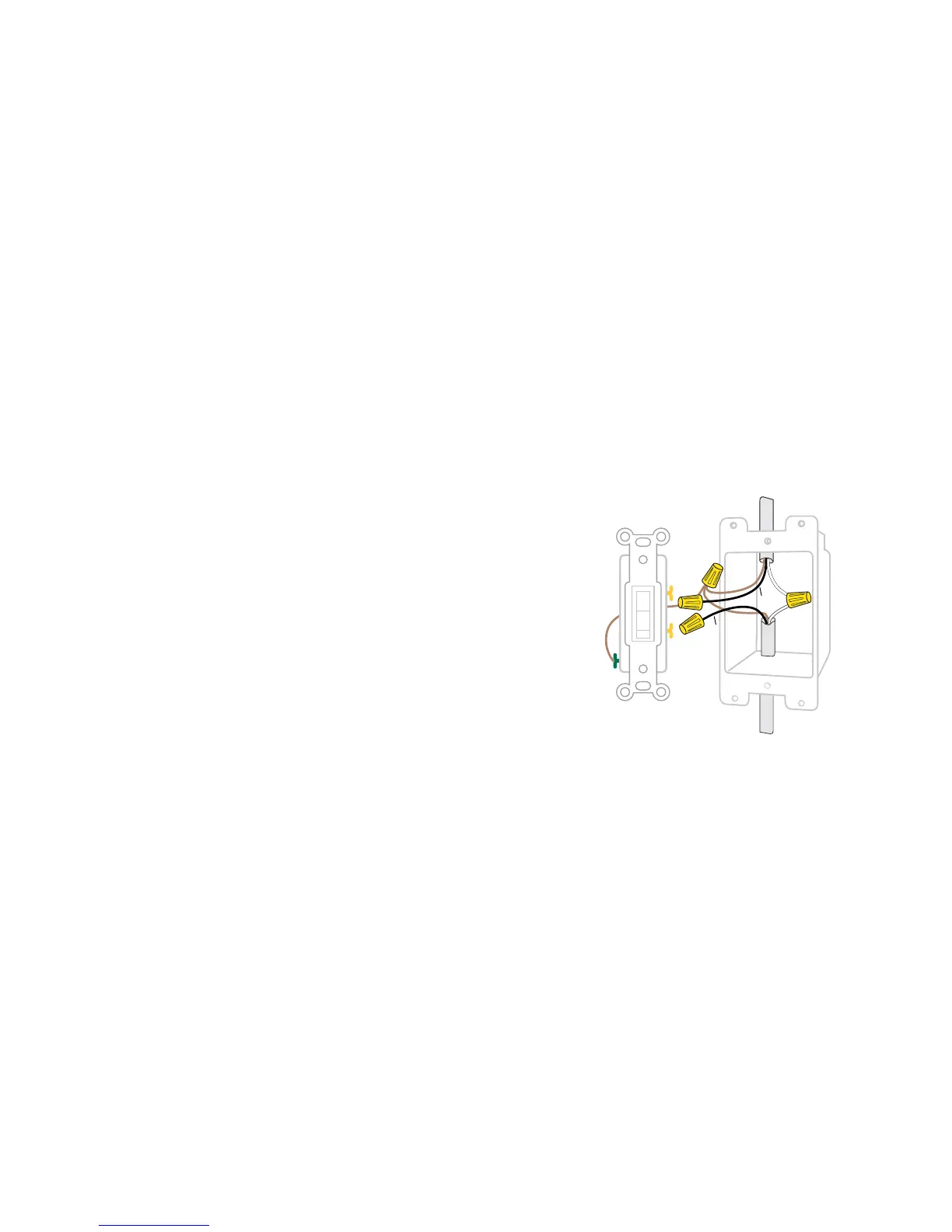
STEP 4
Remove both wires from the terminals of the existing switch and
cap with the provided wire nuts. Note: If you have more than 2
wires connected to your switch (not including the bare copper or
green-coated ground wire), please see the 3-way, 4-way installation
instructions. It is not necessary to remove the ground wire.


 To Next Page