iDirect Satellite Router Installation and Commissioning Guide 15
iDX Release 3.3
Local Area Connection
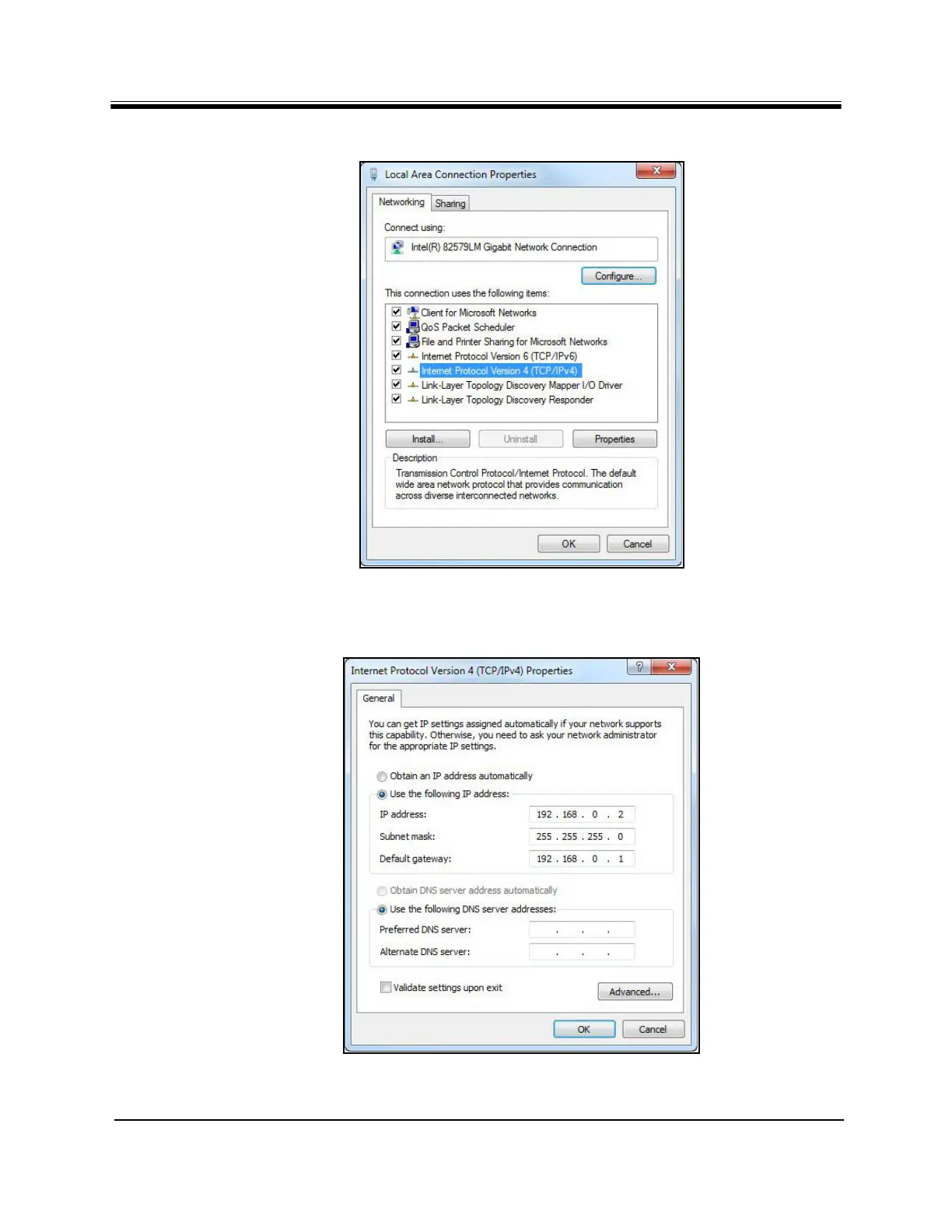
3. Click Properties to display the Properties dialog box.
Figure 5. Local Area Connection Properties Dialog Box
4. Highlight In
ternet Protocol Version 4 (TCP/IPv4) as shown in Figure 5, and click
Properties. The properties dialog box appears.
Figure 6. Internet Protocol (TCP/IP) Dialog Box



 To Next Page