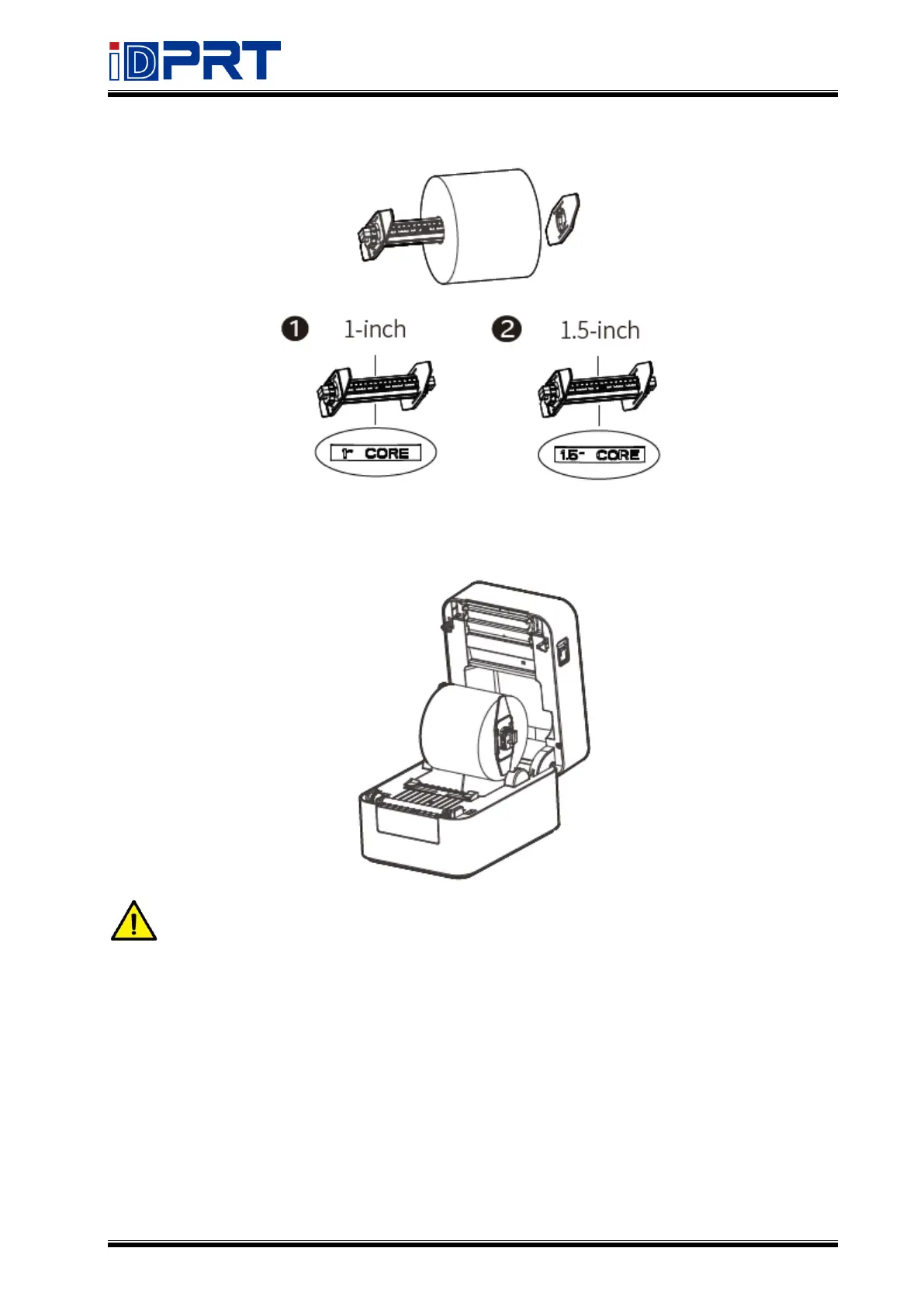
3.Load the paper roll to the paper holder according to the following appropriate size.
4.Load the paper holder back to the printer.
Note: When using the 1-inch paper roll, the font of "1-CORE" should be upward; when
using the 1.5-inch paper roll, the axis should be turned 180 degrees and the font of
"1.5-CORE" should be upward.


 To Next Page