Home
iDPRT
Printer
SP426
Page 15
iDPRT SP426 - Page 15
53 pages
Manual
Save Page as PDF
To Next Page
To Next Page
To Previous Page
To Previous Page
Loading...
SP426
Use
r
Manual
12
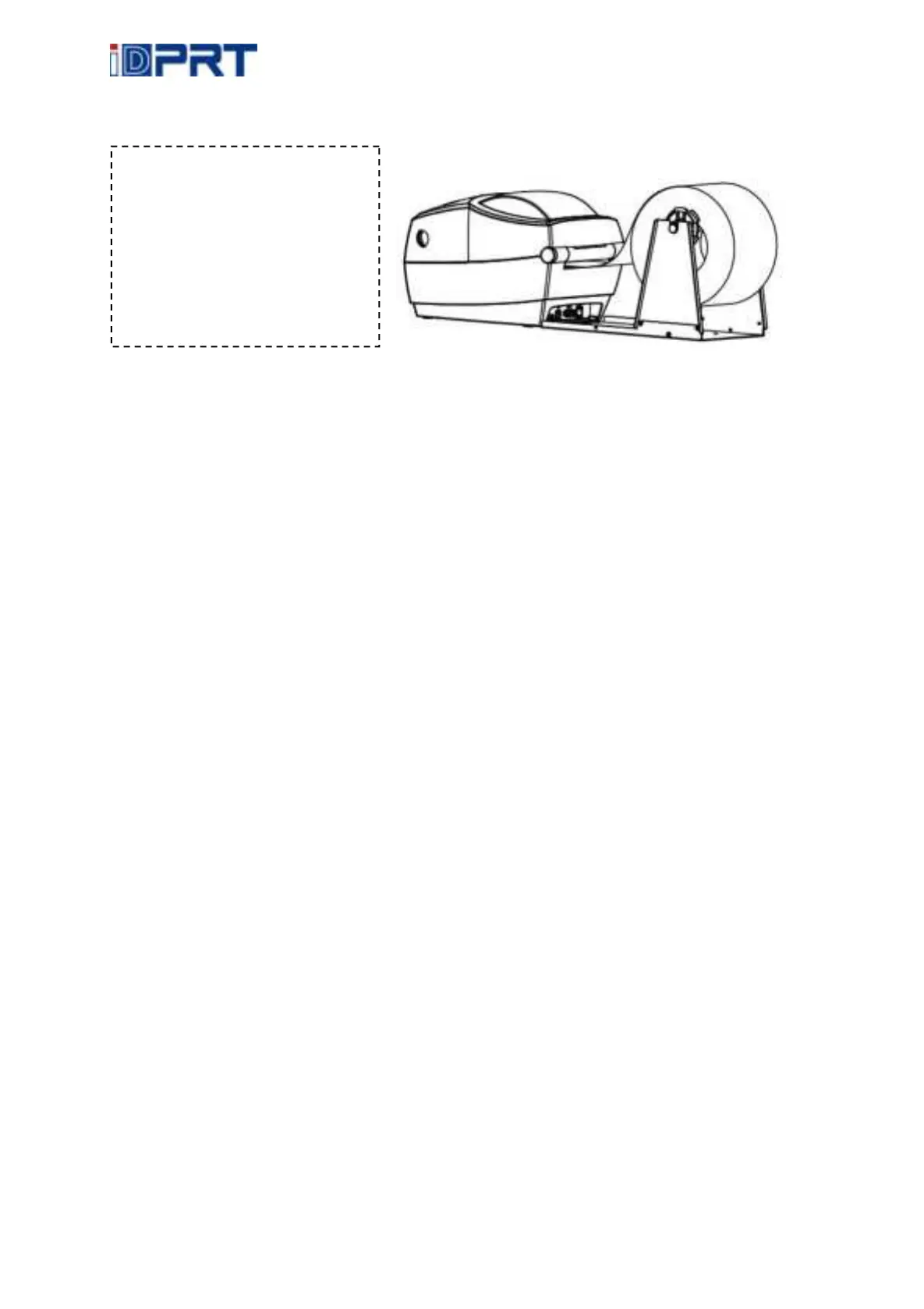
3.1.2
External
Pap
er
Roll
Loading
If
the
p
aper
r
oll
is
ex
tremely
large,
users
can
load
th
e
paper
roll
outside
(See
the
gr
aph
at
right).
Pass
the
paper
t
hrough
the
external
feed
slot
an
d
then
through
the
p
aper
guides.
Adjust
the
p
aper
guides
Note:
the
paper
roll
h
older
can
be
fi
xe
d
on
the
clampin
g
pin
on
both
sides.
14
16
Table of Contents
Main Page
default chapter
2
Table of Contents
2
Manual Information
4
Important Safety Instructions
5
Chapter 1 Introduction
8
Packing List
8
Appearance and Components
9
Dimension
10
Chapter 2 Specifications
11
Chapter 3 Installation & Usage
13
Media Loading
13
Power Connection
16
Peripherals Connection
17
Operation Panel
18
Basic Operation
19
Chapter 4 Interface
21
USB Interface
21
Chapter 5 Maintenance & Adjustment
22
Cleaning Media Sensor
22
Cleaning Thermal Print Head
22
Cleaning Roller And/Or Paper Path
23
Chapter 6 Label Printer Utility Instructions
24
Installation Preparation
24
Usage
24
Chapter 7 Windows Driver Instructions
33
Introduction
33
Installation Preparation
33
Installation
34
Usage
38
Removing
52
Related product manuals
iDPRT SP420
49 pages
iDPRT SP410
41 pages
iDPRT SP900
120 pages
iDPRT iT4B
85 pages
iDPRT iT4 Series
111 pages
iDPRT CP-D80
50 pages



 To Next Page