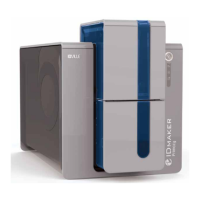
Need help?
Do you have a question about the IDVille ID Maker Edge and is the answer not in the manual?
Welcomes user and advises on required items before installation.
Specifies ambient temperature, humidity, and space needs for printer operation.
Identifies and illustrates the primary functional parts of the ID card printer.
Step-by-step guide for correctly inserting the dye film into the printer.
Instructions for connecting the printer to its power source, noting USB connection timing.
Detailed steps for installing the printer driver using a USB connection.
Process for installing the printer driver via an Ethernet network connection.
Configuration options for static network settings within the driver.
Explains the different tabs available in the printer's driver settings.
Guide to accessing the built-in help file for driver settings.
Step-by-step instructions for cleaning the printer's internal components.
Guide on how to remove and replace the printer's cleaning roller.
Instructions for using the cleaning pen to clean the print head.
Details the standard CR80 card dimensions for the printer.
Specifies the acceptable range for card thickness.
Lists criteria for cards to ensure high-quality print results.
Defines the printable area dimensions on a standard CR80 card.

 To Next Page
 General