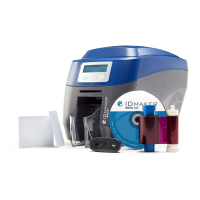
Need help?
Do you have a question about the IDVille ID MAKER Zenius and is the answer not in the manual?
Covers manual usage rights, trademarks, and warranty information.
Highlights environmental commitment and end-of-life product recycling.
Welcome and overview of the printer's features and benefits.
Instructions for registering the printer online for offers and information.
Guidance on checking printer accessories and handling packaging.
Details printer parts and their operational functions.
Identifies specific parts like print head, dust filter, and levers.
Steps for connecting the printer to power supply and USB.
Procedure for inserting the ribbon into the printer.
Instructions for inserting cards into the card feeder.
Guide to setting the card thickness gauge on the printer.
Instructions for emptying the printer's reject box.
Steps to install the printer driver software on your computer.
Using ID Maker Print Center to configure printer settings.
Interpreting printer status icons and messages.
Guide to printing cards using Microsoft Word.
Procedure for enabling double-sided printing using an activation key.
Steps for connecting the printer via Ethernet or Wi-Fi.
Details warranty conditions and the importance of regular maintenance.
Procedure for routine cleaning and its impact on warranty.
Instructions for cleaning and protecting the printer's print head.
Procedure for in-depth cleaning of the printer.
Guide to cleaning or replacing the dust filter.
Identifying and understanding printer warnings and diagnostic information.
Resolving issues like no prints, poor quality, or card jams.
Step-by-step instructions for replacing the printer's print head.
Guidance on updating printer firmware and drivers.
How to contact IDville for technical assistance and find online resources.
Overview of printer capabilities, print resolution, and speeds.
Details on card capacity, types, and ribbon specifications.
Information on ports, connectivity options, and included software.
Lists safety, FCC, and other regulatory compliance statements.
Details magnetic stripe encoding capabilities and standards.
Explains contact and contactless smartcard programming and positioning.

 To Next Page
 General