Need help?
Do you have a question about the IEC E055-71520302 and is the answer not in the manual?
Introduction to the programmable digital thermostat and its purpose.
Highlights the main features and advantages of the thermostat, such as programmability and display.
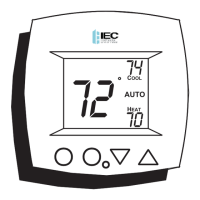
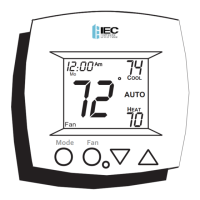
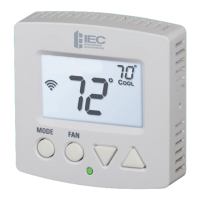
Details the main display screen, including its backlight feature.
Describes the function of the MODE, UP/DOWN, and FAN/Override buttons.
Explains the indicator light that shows heating or cooling status.
Explains the meaning of various icons like Program On, Heat, Cool, Auto, and Off.
Describes the clock, day, current room, and desired setpoint displays.
Explains icons related to scheduling, setup mode, and fan status.
Explains icons for scheduling, keypad lock status, and external sensor presence.
Step-by-step guide for setting the current time and day on the thermostat.
Explains how to select Heating Only, Cooling Only, or Auto modes for 4-pipe systems.
Details mode selection for 2-pipe systems, including Heat Only, Cool Only, and Auto.
Covers combined heating and cooling operation for 2-pipe systems with advanced setup considerations.
How to change the target temperature for heating and cooling.
Explains how to control fan speed and its behavior in Auto mode.
How to temporarily change the thermostat's programmed schedule.
Describes how overrides function differently for occupied vs. unoccupied periods.
Steps to set heating and cooling temperatures for occupied periods.
Steps to set heating and cooling temperatures for unoccupied periods.
How to define the days, start/stop times, and active status for occupied periods.
Functionality to copy programmed settings to other days of the week.
Important usage details and notes for programming schedules.
Adjusting time, day of week, and display settings like blanking.
Setting single/dual setpoints and fan coil system type.
Customizing fan operation, backlight behavior, and deadband.
Selecting F/C units, sensor operation, and override timer length.
Setting up dry contact polarity and its operation for occupied/unoccupied states.
A table summarizing all advanced setup parameters, ranges, and defaults.
Instructions for calibrating the temperature sensor, recommending professional service.
Detailed explanation of how deadbands control fan speeds and temperature swings.
Steps to restore the thermostat to its original factory settings.
How to enable or disable keypad access to prevent unauthorized changes.
How to connect and utilize optional outside and duct sensors.
Explanation of how the display and deadband work in single setpoint mode.
Outlines the overall terms, conditions, and limitations of the product warranty.
Details what the warranty covers, exclusions, and purchaser's exclusive remedies.
Covers payment terms, late charges, contract cancellation, and assignment clauses.
Specifies conditions for order acceptance and limitations on agreements.
 General
| Brand | IEC |
|---|---|
| Model | E055-71520302 |
| Category | Thermostat |
| Language | English |

 To Next Page