EasyManua.ls Logo

IEC E055-71520317 - User Manual

IEC E055-71520317
38 pages
Print Icon
To Next Page IconTo Next Page
Loading...
2- or 4-pipe configurable
Dual or Single Setpoint
7 Day Programmable
3 Occupied, 1 Unoccupied
Easy to program
Large, easy to read display
Soft-Glow Backlight
Auto-Changeover
Locking Keypad
Override capable
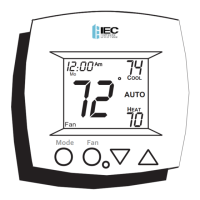
OWNER'S MANUAL
P/N E055-71520317 w/logo
P/N E055-71520319 no logo
Auto-Changeover is available in 4-pipe systems,
in 2-pipe systems with Electric Heat, or when
used with G100-71520306 accessory, auto-
changeover sensor.
72
74
70
Am
COOL
HEAT
AUTO
Mo
I2:00
FAN COIL
PROGRAMMABLE
DIGITAL THERMOSTAT
International Environmental Corp.
Copyright 2020, All Rights Reserved
Mode Fan
Question and Answer IconNeed help?

Do you have a question about the IEC E055-71520317 and is the answer not in the manual?

Summary

Programmable Digital Thermostat

Key Features

Lists configurable options like 2/4-pipe, programmable schedules, occupied/unoccupied modes, and auto-changeover.

Front Panel Overview

Control Panel Components

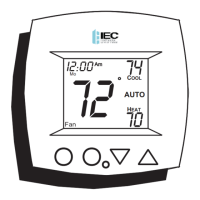
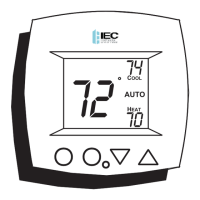
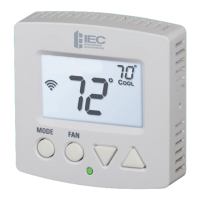
Identifies the liquid crystal display, buttons, and indicators on the thermostat.

Thermostat Display Explained

Display Icons and Readouts

Explains the meaning of various icons and numerical displays on the thermostat screen.

Quick Start Guide

Setting the Clock and Day

Step-by-step instructions for setting the current time and day on the thermostat.

Selecting Heat or Cool Mode

Mode Selection Options

Details the available operational modes: Heat, Cool, Auto, Program, and Off.

Basic Operation

Adjusting Setpoints and Fan Operation

Instructions for changing desired temperatures and fan operation modes.

Overriding the Daily Schedule

Temporary Schedule Changes

How to temporarily override the thermostat's programmed schedule for a set duration.

Programming Occupied Periods

Setting Occupied Time and Setpoints

Configuring start/stop times and setpoints for when the space is occupied.

Programming Unoccupied Periods

Setting Unoccupied Setpoints

Configuring setpoints for when the space is unoccupied.

Advanced Setup Guide

Initial Setup Adjustments

Steps for adjusting time, day, and display settings in advanced setup.

System Configuration

Fan Coil and 2-Pipe System Settings

Configuring fan coil type, 2-pipe operation modes, and system parameters.

Operation Settings

Fan, Deadband, and Backlight Configuration

Settings for fan operation, deadband, and backlight behavior.

Thermostat and Sensor Settings

Temperature Units and Sensor Input

Setting temperature units (F/C) and selecting temperature sensor source.

Advanced Input and Override Settings

Dry Contact and Override Timer Configuration

Configuring dry contact inputs and the duration of time overrides.

About Advanced Features & Operation

Calibration and Defaults

Procedures for calibrating the sensor and resetting to factory defaults.

Deadband Operation Explained

Fan Speed Control via Deadbands

How deadbands control heating and cooling stages and fan speeds.

Dry Contact Switch Functionality

External Control of Occupied;Unoccupied Modes

Using external devices to control occupied/unoccupied modes via dry contacts.

Fan Operation Modes Detailed

Understanding Fan Control Options

Detailed explanation of different fan operation modes and their behavior.

Heat;Cool Differential and Smart Fan

Differential Settings and Energy Saving Fan

Understanding minimum temperature differences and the energy-saving fan feature.

Keypad Lockout

Locking and Unlocking the Thermostat Keypad

How to lock and unlock the thermostat's keypad to prevent unauthorized use.

External Sensor Information

Using Outside and Remote Sensors

Information on connecting and using external temperature sensors for accurate readings.

Warranty Terms and Conditions

General Warranty Provisions

Outlines the general terms and conditions of the product warranty.

Warranty Coverage and Exclusions

Specific Warranty Details and Limitations

Details on what the warranty covers, exclusions, and buyer responsibilities.

IEC E055-71520317 Specifications

General IconGeneral
BrandIEC
ModelE055-71520317
CategoryThermostat
LanguageEnglish

Related product manuals