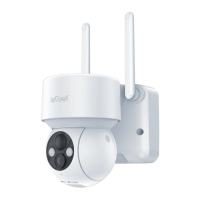
Need help?
Do you have a question about the ieGeek ZS-GX5 and is the answer not in the manual?
Download the CloudEdge app from the App Store or Google Play using provided QR codes.
Guide for new users to register an account via email, including region selection.
Instructions for inserting a Micro SD card into the camera for video storage.
Steps to power on the camera and understand the indicator light status.
Detailed steps to connect the camera to your Wi-Fi network via the CloudEdge app.
Overview of the CloudEdge app's main interface elements and icons.
Instructions on how to share the camera with other users via P2P.
Guide on configuring alarm settings, sensitivity, and time periods.
Details on receiving alarm notifications and reviewing recorded videos.
 General
| Brand | ieGeek |
|---|---|
| Model | ZS-GX5 |
| Category | Security Camera |
| Language | English |

 To Next Page