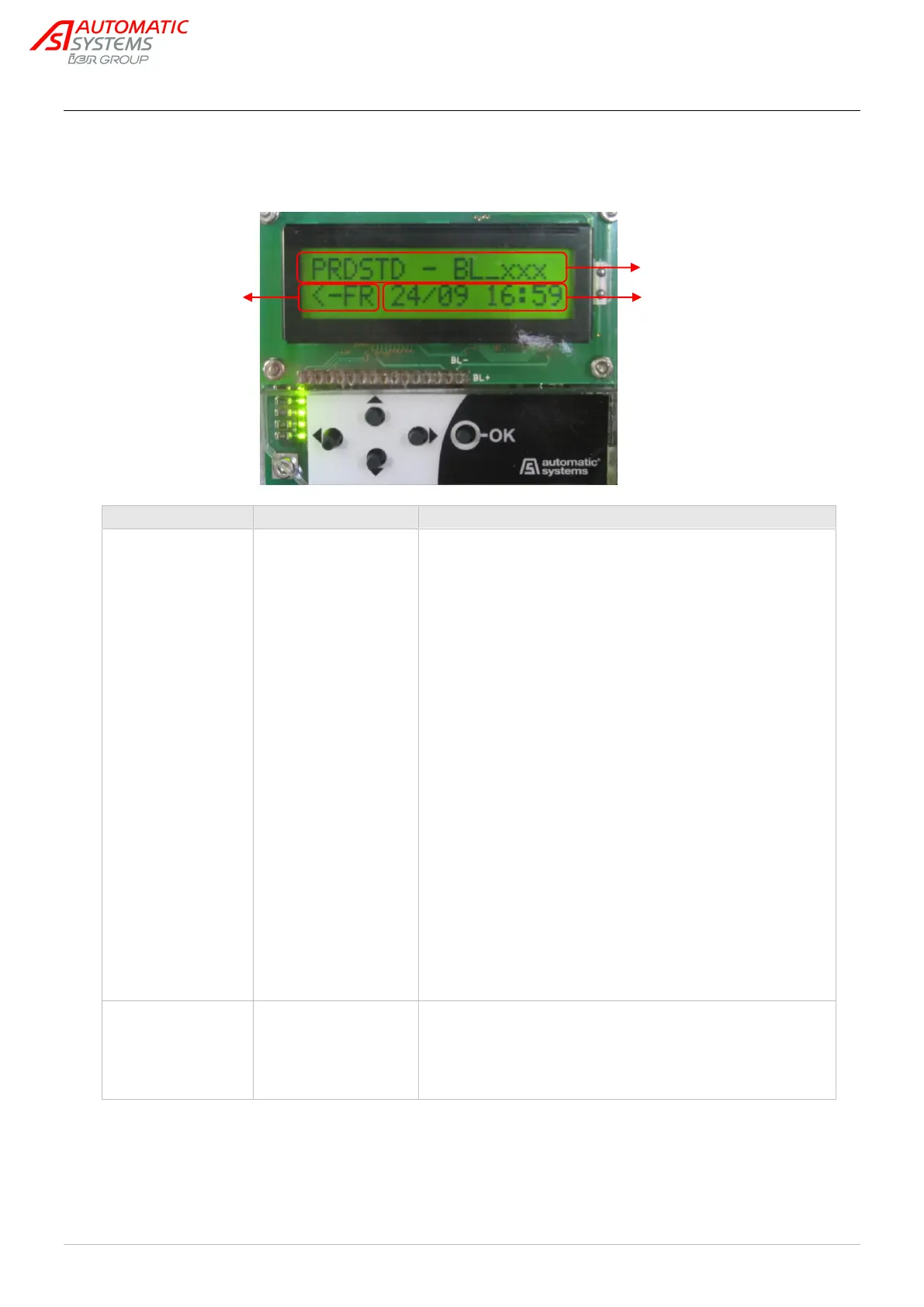
3.1. “PRDSTD – BL_xxx” Menu: Diagnosis and monitoring
OK key: (only within this menu (*) and when no other parameter
is selected): command for opening and closing the obstacle.
OK during opening: without effect.
OK during closing: inversion (= opening).
OK maintained: oscillating movement around the opening limit
switch: the obstacle opens, starts closing, opens again, etc.
(*) Warning: in QUICKSTART menu, validating passage from
Extended to Simplified menus through the OK key causes also
an opening or closing movement of the arm, even if a presence
is detected by the Presence sensors.
Note: When the operating mode is configured as 1 contact (see
the Exploitation parameter in the QUICK START menu), the
obstacle closes automatically when the opening limit switch is
detected.
Left key (◄): Change the menu display language with each
touch.
EN = English
FR = Français
NL = Nederlands
DE = Deutsch
ES = Español
IT = Italiano
SV = Svenska
Select the language using the OK key or allow it to change
automatically after a few seconds, following which all of the
preceding parameter modifications (including the language) will
be saved in MEM1.
Display the software version used by the control unit, following
format type – evolution – version – revision – minor index of the
application.
The descriptions included in this chapter correspond to versions
00-00-06-rr-00.


 To Next Page