3.2. "QUICK START" menu: quick configuration
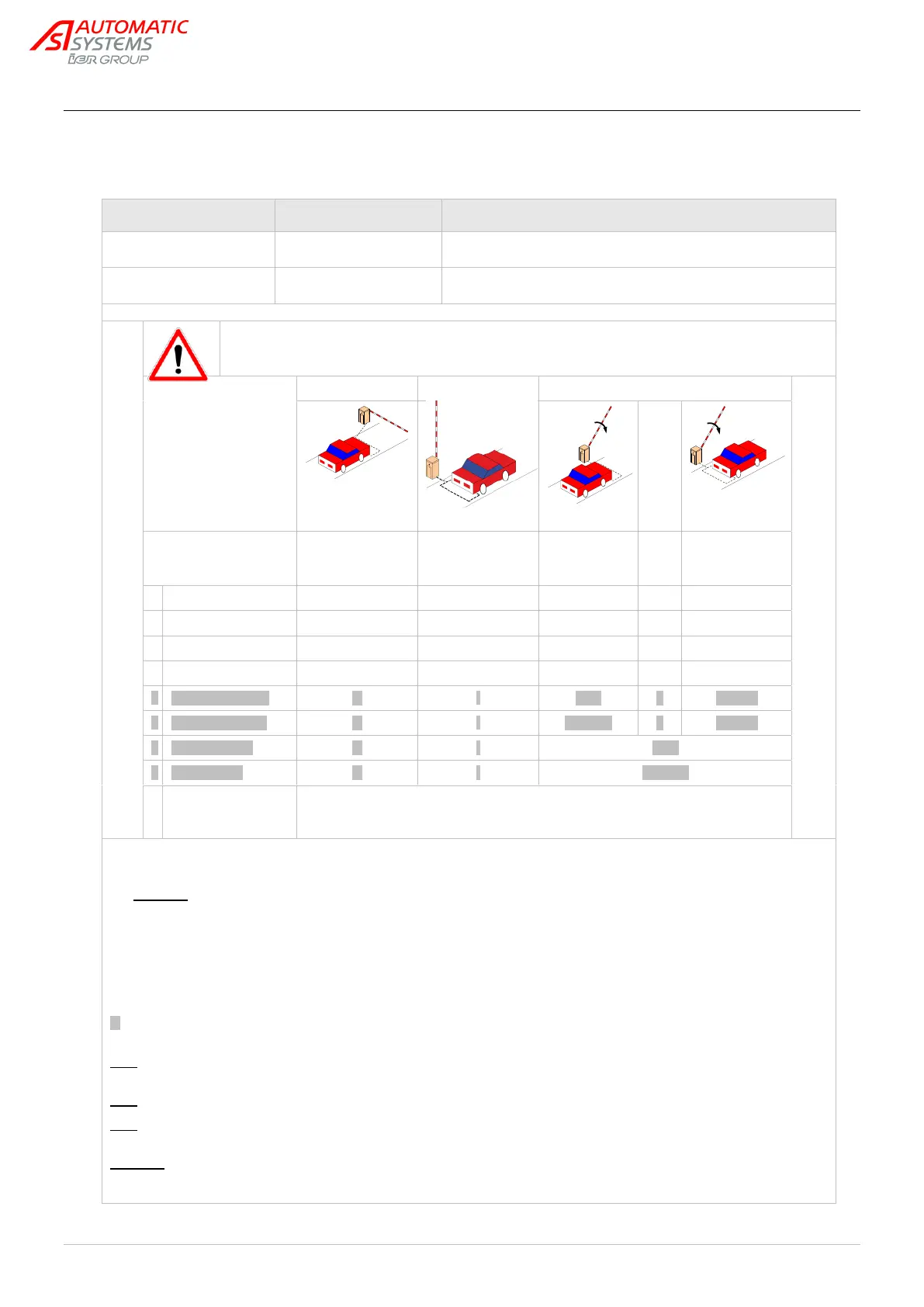
By default, the presence sensors are deactivated.
Therefore, in order to ensure that their safety functions are operational, it is
indispensable that the parameters for each of the presence sensors used be set.
*: Automatic closure only if the preceding opening was initiated by detection and not if presence is detected by another sensor.
Notably, if there is a power outage when the obstacle is open, the obstacle will not close automatically when the power is
brought back (a close command must be executed).
Warning: The presence sensor operating in “Open” mode may not be placed under the arm, because it is it is not secured, in
contrast to the other modes: a Lock Close command has priority for it (see the "Exploitation" parameter below) and could
cause the arm to close on a vehicle.
**: Opening is possible using the commands present on the control board's connector blocks: open command, reader command,
and Lock Open command.
***: If passage is detected while the obstacle is Locked Open, closure will take place when the Lock Open command is
deactivated.
: With regard to the underlined values, a close command must be executed to close the obstacle when it is open. The safety
function is only activated during the closing movement of the obstacle.
Note: the installation of 2 loops on PS1 and PS2 requires the use of a double detector since PS1 and PS2 are on the same
connector.
Note: 2 supplementary Presence Sensor (PS3 and PS4) are available through extended menu "SENSOR FUNCTION".
Note: the information regarding the sensor status (1/0) is always available (for each function mode) through extended menu
"OUTPUT FUNCTION".
Warning: When the power is turned on, the detectors (DP) measure the state of the loops and initialize the reference level with
regard to their environment. Hence, if a vehicle is present on the loop during activation, it will not be detected and the loop will
give the order to close (in modes 1, 2 and 3 only)!


 To Next Page