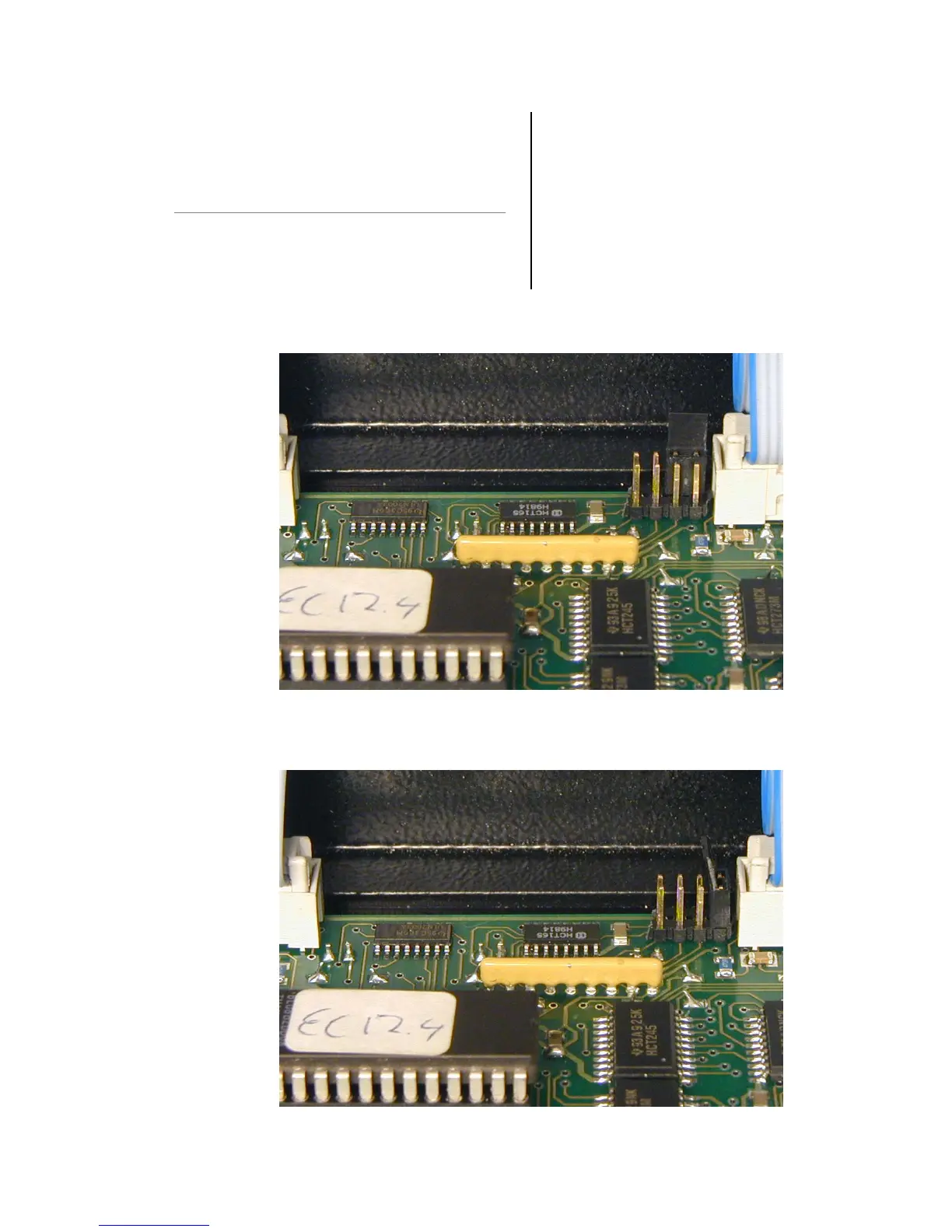
Place dipswitch in normal mode. And repower EC
dimmer. EC dimmer is reset and all parameters
where set to Factory setting.
7. RETURN TO FACTORY
SETTINGS
7.1 RETURN TO FACTORY SETTINGS
To return to the factory settings. Make the dipswitch
setting at the inside off the EC dimmer as below.
When dipswitch is placed, remove power from EC
dimmer. Plug in Power again. Display shows “555”
Dipswitch settings normal use.
Dipswitch setting to reset the EC dimmer
IES EC24 & EC12 dimmer pack Operators’ Manual v. 1.0 20-10-2003
6



 To Next Page