15
Unpair or Reset the Activity Tracker
To unpair or reset the activity tracker, follow the steps below.
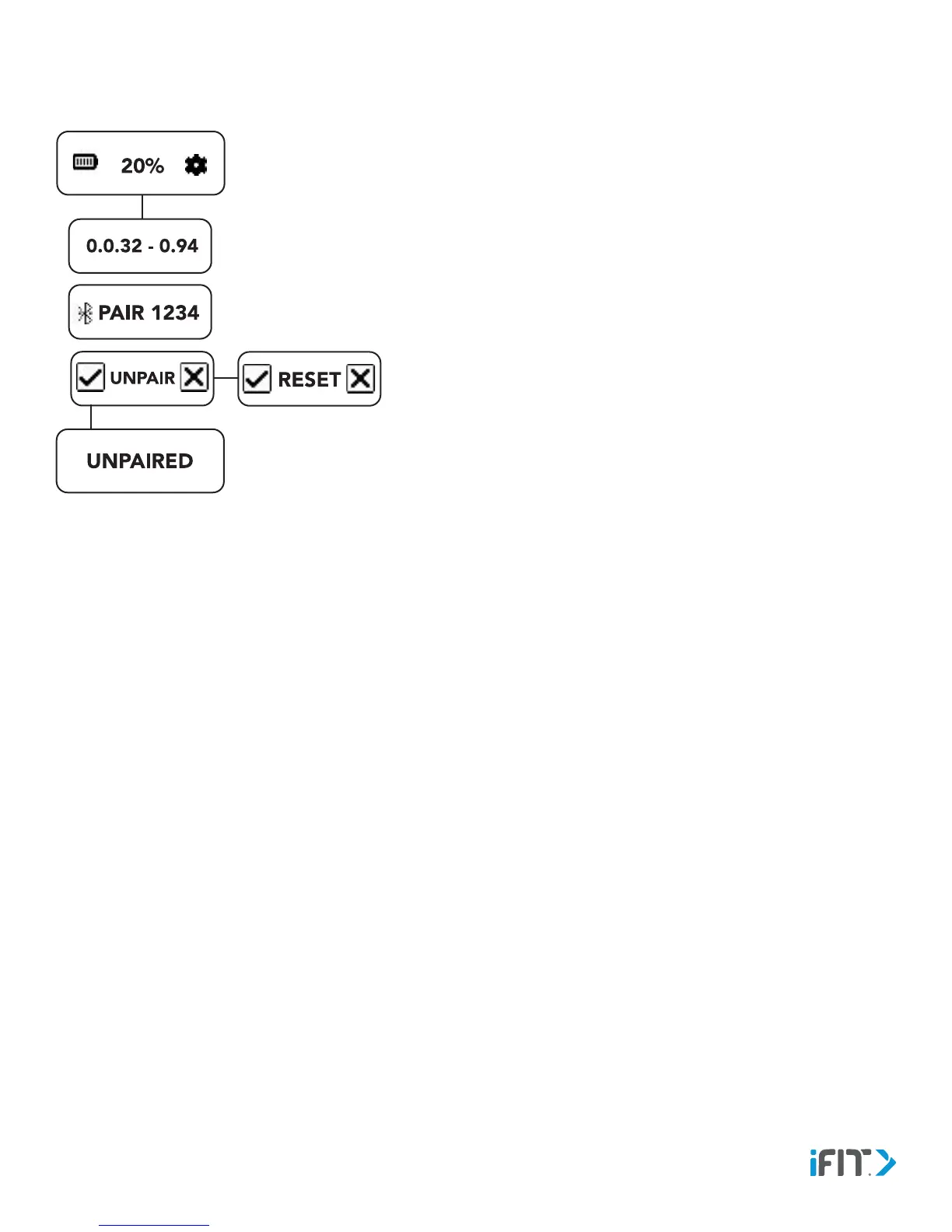
1. Navigate to the Settings screen, and then tap the gear icon.
2. Tap the screen repeatedly until the unpairing option appears.
3. To unpair the activity tracker, tap the checkbox icon. To view the
reset option, tap the x-box icon.
When you unpair the activity tracker, it will no longer be connected
to your device and will no longer sync information to the iFit app
on your device. If desired, you can now pair the activity tracker to a
dierent device.
4. To reset the activity tracker, tap the checkbox icon. To cancel, tap
the x-box icon.
If the activity tracker is not working properly, reset the activity
tracker. IMPORTANT: When you reset the activity tracker, the
data recorded on the activity tracker will be deleted. Make sure
to sync the activity tracker to the iFit app before you reset the
activity tracker.


 To Next Page