IO-Link master with USB interface 1 port IP 65 / IP 67
Content
Install the device ....................................................................................................................................... 9
The responsibility for the compliance with the requirements concerning mounting of the device
in the application with regard to shock, vibration, acceleration and weight lies with the system
architect.
>
5.1 Installing the device
60817
► When installing the device in the automation system, use only suitable mounting accessories (e.g.
cable ties).
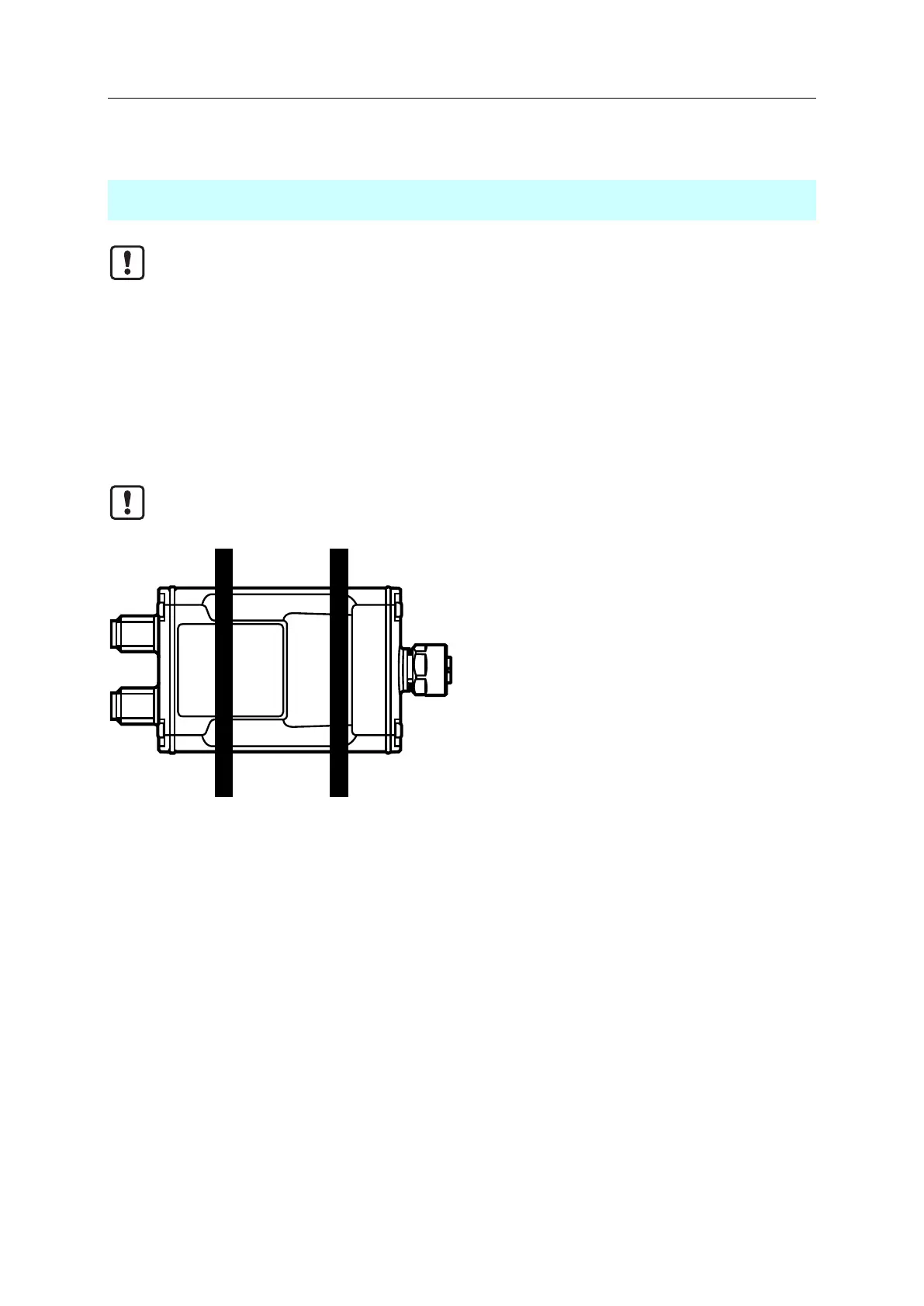
► When using cable ties, use the recesses of the machine as a guide (see figure).
► When attaching the cable ties, make sure that the status LEDs are not covered.
Fig.: Correct placement of the cable ties


 To Next Page