Task: Integrate IO-Link master in a CODESYS project
Hardware:
AC14 DL as Modbus-TCP master
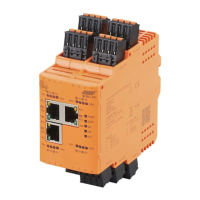
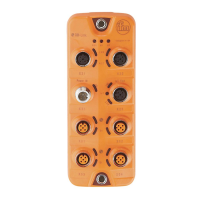
AL1340 as Modbus-TCP slave
Solution:
Preparation:
► Create CODESYS project with AC14 DL.
1 Create Modbus-TCP master
► In the device tree: Right-click on [X8] node
> Context menu appears.
► In the context menu: Select [Add Device...].
> Dialogue window appears.
► Select the following settings:
1. [Vendor]: Select [ifm electronic].
2. [Device]: Select [Modbus_TCP_Master].
3. [Name]: Enter a unique name.
► Click on [Add Device].
> Device tree shows Modbus-TCP master as sub-node of the interface X8.
2 Create Modbus-TCP slave (AL1340)
► In the device tree: Right-click on the node of the added Modbus-TCP master
► In the context menu: Select [Add Device...].
> Dialogue window appears.
► Select the following settings:
1. [Vendor]: Select [ifm electronic].
2. [Device]: Select [Modbus_TCP_Slave].
3. [Name]: Enter a unique name
► Click on [Add Device].
> Device tree shows AL1340 as sub-node of the Modbus-TCP master.
3 Configure Modbus-TCP slave
► In the following tabs, set the parameters as required:
1. [General]: Set IP address and Unit ID
2. [Modbus Slave Channel]: Add Modbus register
2. [ModbusTCPSlave I/O Mapping]: Map Modbus register values to variables


 To Next Page