User Manual
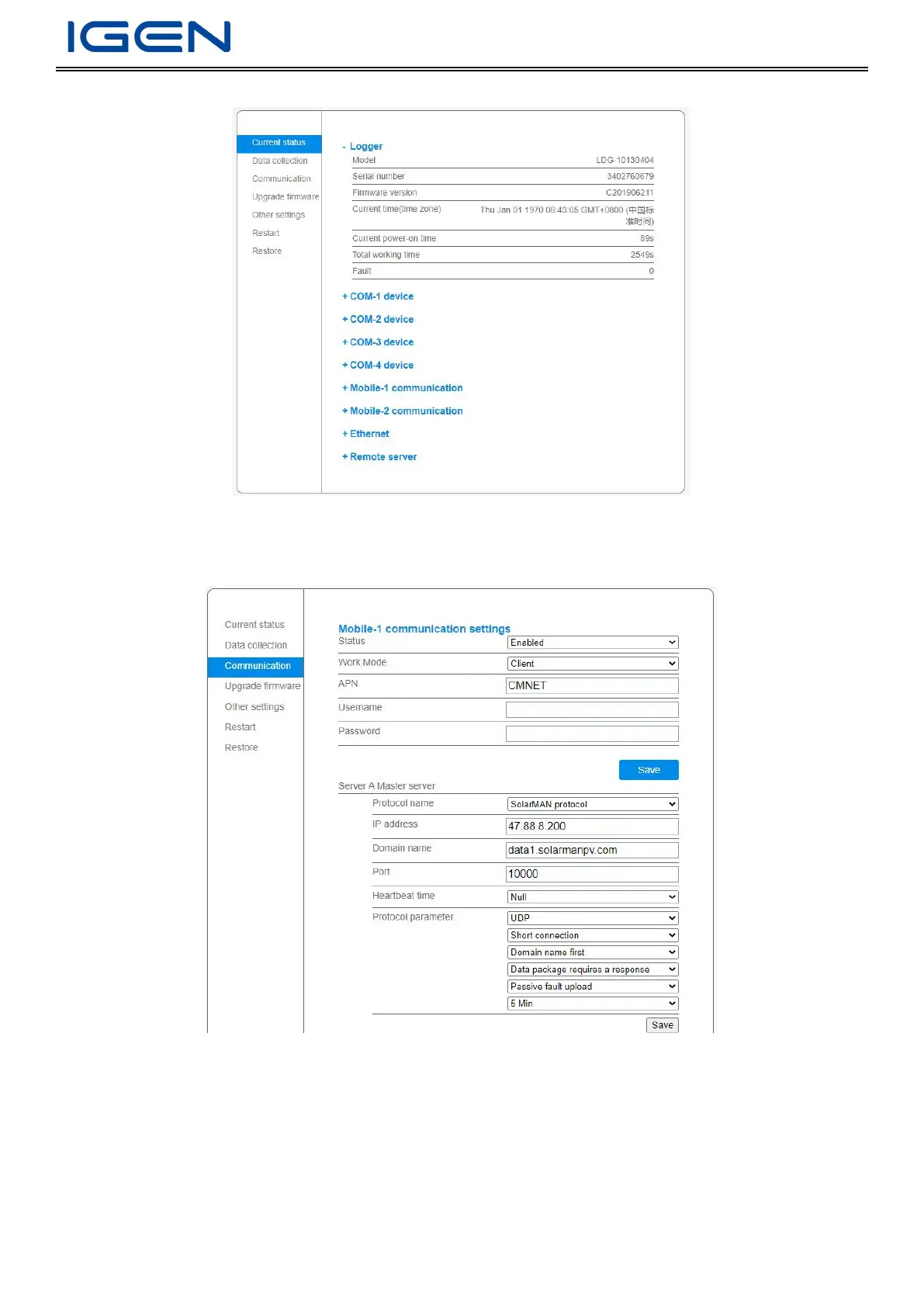
Open a browser and enter 169.254.254.254 to go to configuration page
Mobile COM Parameter Settings
Modify APN and server direction according to the requirement
Ethernet Parameter Settings
Ethernet Data Transmission
Work Mode: Transmission Mode and click Save
Set server direction and click Save.


 To Next Page