User Manual
Inverter Connection
Connect to single inverter
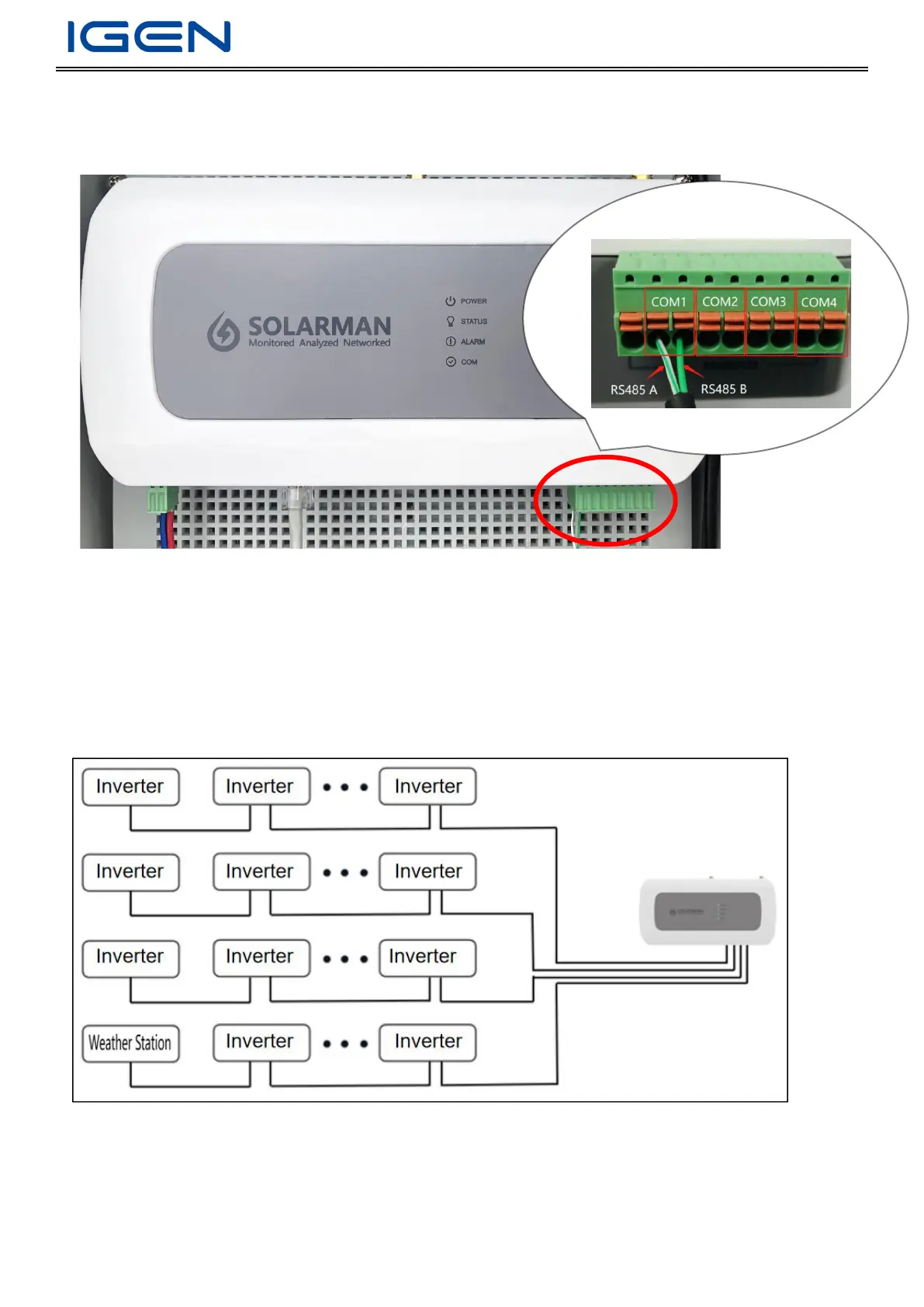
Inverter communicate withLP-2 via RS485 (COM1/COM2/COM3/COM4)
Steps
1. Peel off the insulation of RS485 com line
2. Connect logger RS485A/RS485B interface to inverter via 485 com line
Connect to multiple inverters
Pro logger can connect to multiple inverters via hand in hand connection. The max. number of devices on each line is 32.
(If users want to connect to a weather station, please put the weather station at the end of the line.)
Parameter Settings
Connect logger to computer network port via cable (Power on the logger and turn off computer WiFi function)


 To Next Page