User Manual
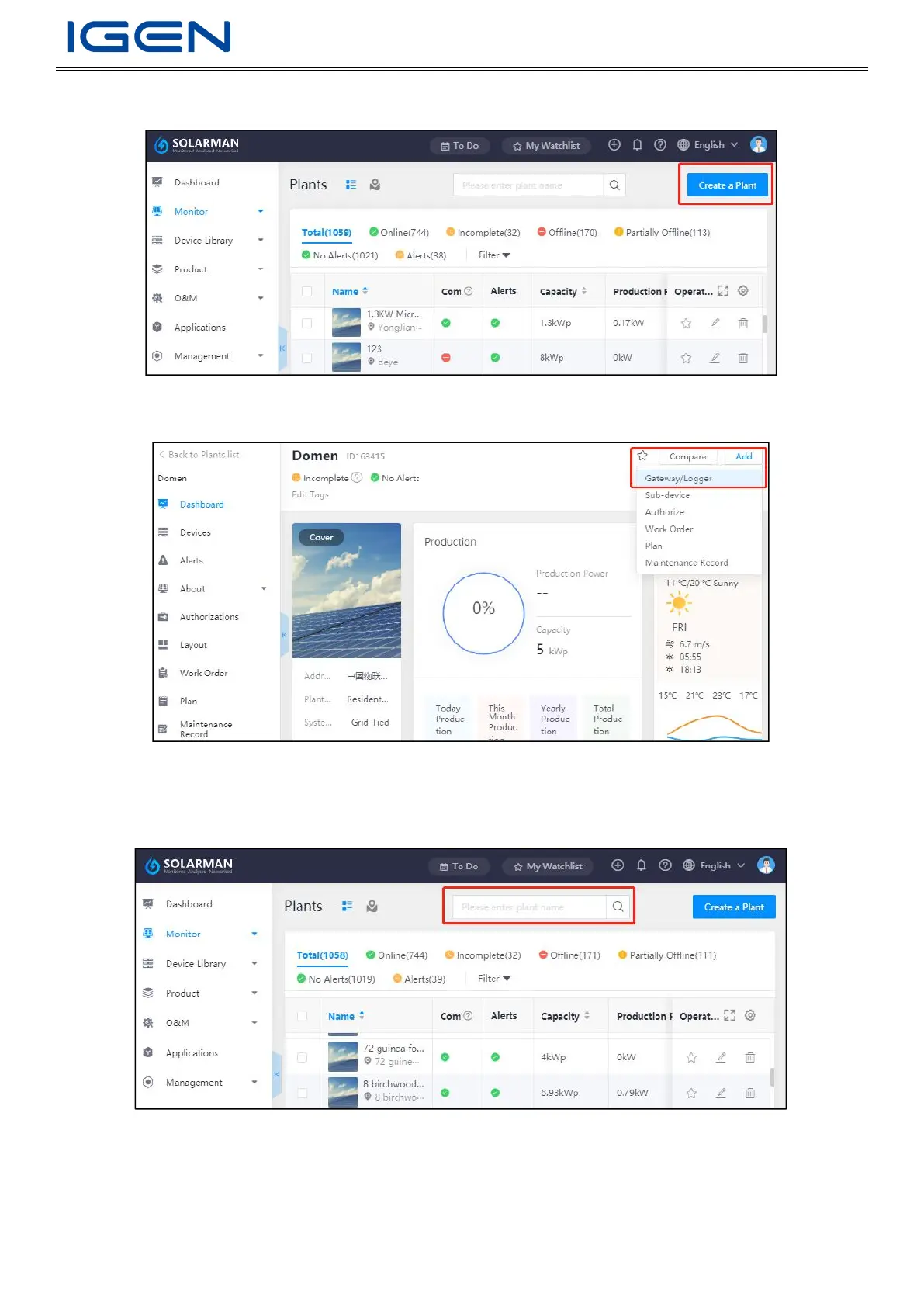
Step 2: Log in to SOLARMAN platform, click “Create a Plant” in the upper-right corner and enter plant information here.
Step 3: Go to a target plant, click “Add” in the upper-right corner, select “Gateway/Logger”, and enter device SN here.
7.2 Data Checking
Users can go to SOLAMMAN Business Web/APP to check plant data.
Type plant name in the search box to search.
Log in to SOLARMAN Business APP, click “Business”-”Monitor”-”Plant” to check plant data.


 To Next Page