Cleaning the Dust Container
IMPORTANT: Never use the vacuum cleaner without the Dust Container installed, otherwise
damage to the product may occur which would not be covered by the guarantee.
1. Unplug the vacuum from the mains supply.
2. Remove the dust container from the unit.
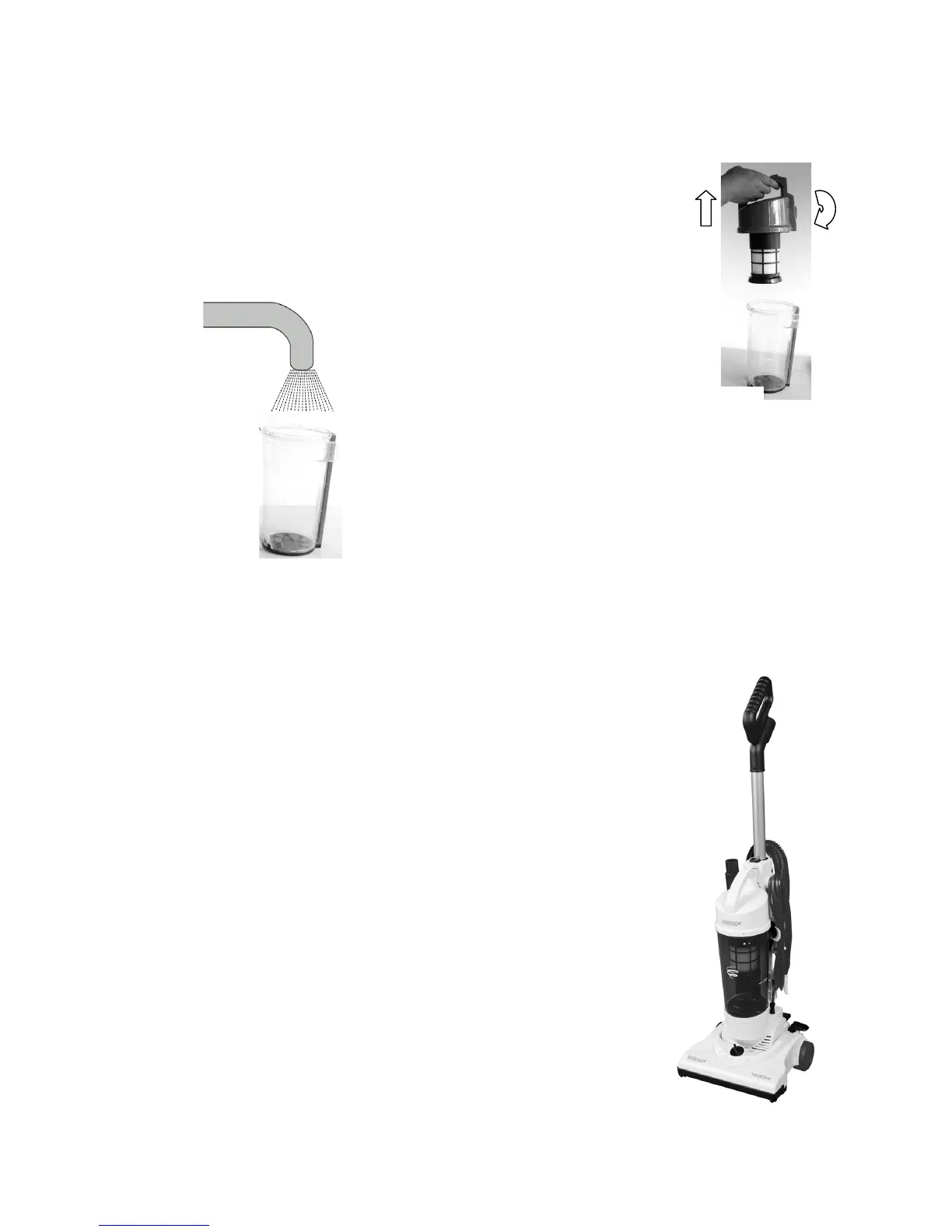
3. Unlock and remove the dust container cover by turning the
cover clockwise until the arrow on the cover aligns with the
arrow on the handle and then lift the cover off. See fig.17.
Note: It is recommended to clean the dust container at regular periods. Inserting a wet dust
container into the vacuum will create an electrical hazard.
Motor Thermostat
IMPORTANT: This unit is equipped with a motor protective thermostat.
If for some reason the vacuum cleaner should overheat, the thermostat
will automatically turn the unit off. Should this happen:
1. Push the power pedal once.
2. Disconnect the plug from the power source. Find the source of
the overheating problem i.e. clogged hose or filter.
3. If a clogged hose or filter is found, unclog the hose and replace
the filters.
4. Wait at least 45 minutes to allow the motor to cool down before
attempting to reuse the vacuum.
5. After the unit has cooled down for 45 minutes, plug in the
vacuum cleaner to the mains and turn it on. The unit should
start again. If the unit fails to operate or the thermostat switches
the unit off again, contact our Customer Service Department on
01473 271272.
Fig.17
4. Clean the container in warm soapy water.
Ensure that the container is completely dry be
assembly. See fig.18.
5. Reassemble the Dust Container and insert it


 To Next Page