7
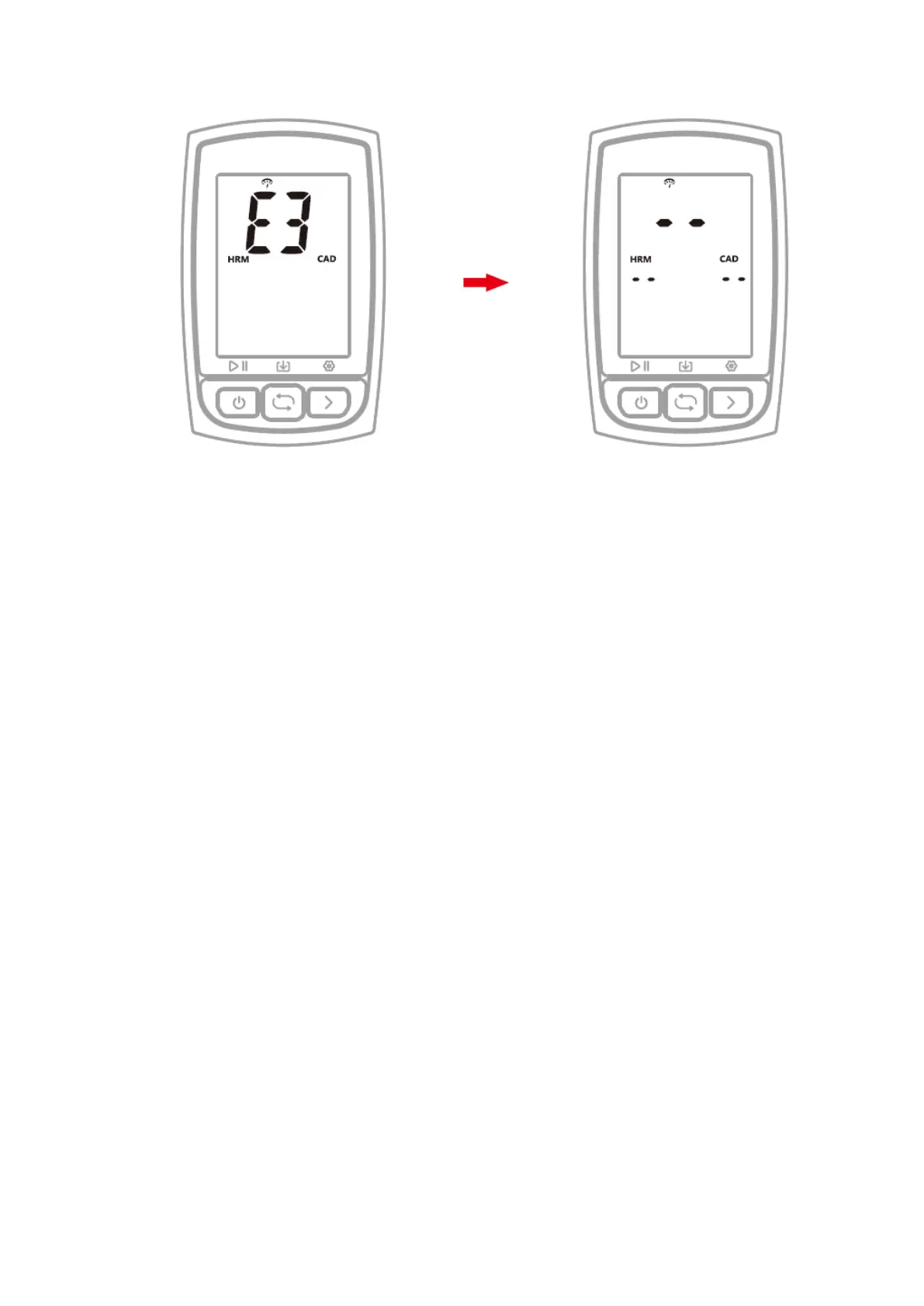
7. SEARCHING AND CONNECTING SENSORS (SETTING MODE E3)
Steps:
1) Hold the right button for more than 2 seconds to enter the setting mode.
2) Select the right button to scroll settings mode from E1 to E5.
3) Select the left button to enter E3 mode when E3 is flashing.
4) C210 will search sensors automatically.
5) When sensors are connected, the icons will light up.
6) C210 will exit searching sensors mode in 20 seconds.
Note:
- C210 will automatically connect the sensors that have been connected.
- It is required to search the sensor again after the battery is replaced.
8. SETTING THE WHEEL SIZE & CIRCUMFERENCE (SETTING MODE E4)
Please set the wheel circumference if you use a speed sensor.
Default wheel circumference: 2096 mm
Steps:
1) Hold the right button for more than 2 seconds to enter the setting mode.
2) Select the right button to scroll settings mode from E1 to E5.
3) Select the left button to enter E4 mode when E4 is flashing.
4) Select the left button to change numerical digits, select the right button to change
numerical value.
5) Hold the right button for more than 2 seconds to save and exit.
Note:
- The unit of wheel circumference is mm
- The setting will be automatically saved if no operation is done within 10
seconds.



 To Next Page