Scooterpac Ignite Mini | User Manual 30
9 Audio Player
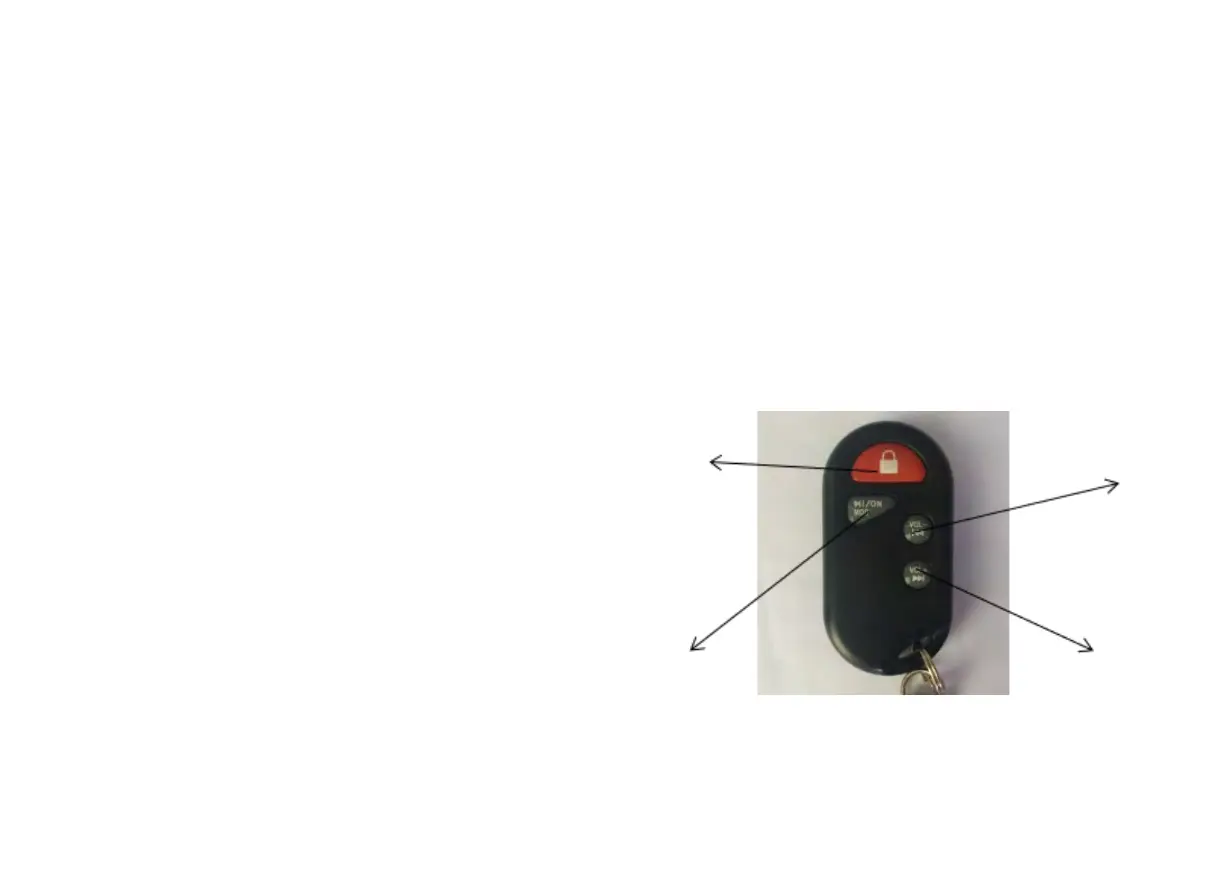
9.1 Key Fob Guide
Press PADLOCK (1) to enable multimedia playback. MP3 mode will activate. The default mode is USB drive when
connected, and Bluetooth mode is on by default when there is no USB drive. Press once more for Radio/FM mode. The
display will show (MP3 mode / FM mode) the corresponding multimedia playback mode.
Press ON MOD (2), short press button to pause playback, long press button to turn off multimedia playback.
Press VOL – (3), short press to switch the previous music or
previous radio, long press to reduce the volume.
Press VOL + (4), short press to switch the next music or the next
radio station, long press to increase the volume.


 To Next Page