iHelp Mini Owner’s Manual
16 17
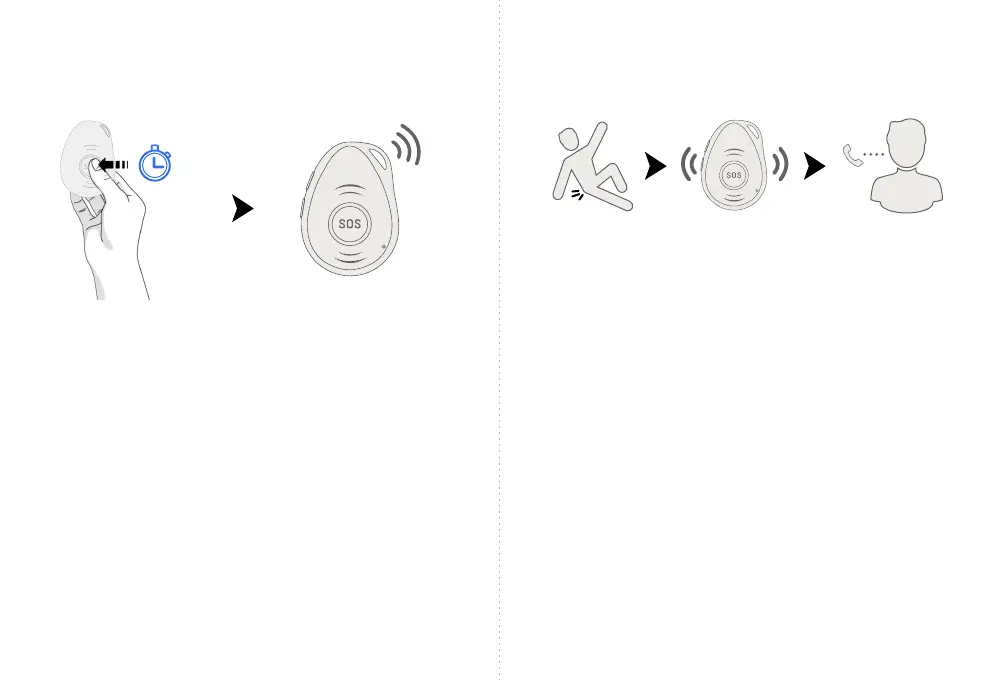
• If you need help, press the SOS button for 3-4 seconds
until you hear a voice prompt and vibration activating an
SOS alarm to the monitoring station. A notication will
also be sent to those listed in your circle of care.
• The device will ring the programmed number for 30
seconds. If there is no answer within those 30 seconds,
the device will redial the number.
• You can stop the call sequence by pressing the SOS
button before the SOS call is made. The device will
alert you to do so verbally.
• To adjust the volume during a call, use the +/- on the
side buttons of the device.
Activating an SOS Alarm
3-4sec.
Fall Alarm
• When your iHelp Mini detects a fall, it will automatically
make a call to the monitoring station. The device will
vibrate and make a verbal announcement - “A fall has
been detected".
• You can cancel a false alarm by pressing the SOS button.
• It’s possible your device could interpret a normal daily
activity as a fall and trigger a false alarm. If this happens,
you can manually cancel the false alarm by pressing the
SOS button.
• While unlikely, it is also possible that your iHelp Mini may
not correctly identify a fall. Given this, we strongly
recommend you press the SOS button when you have an
emergency rather than waiting for the device to trigger
an alarm automatically.



 To Next Page