iHelp Mini Owner’s Manual
14 15
1sec.
3sec.
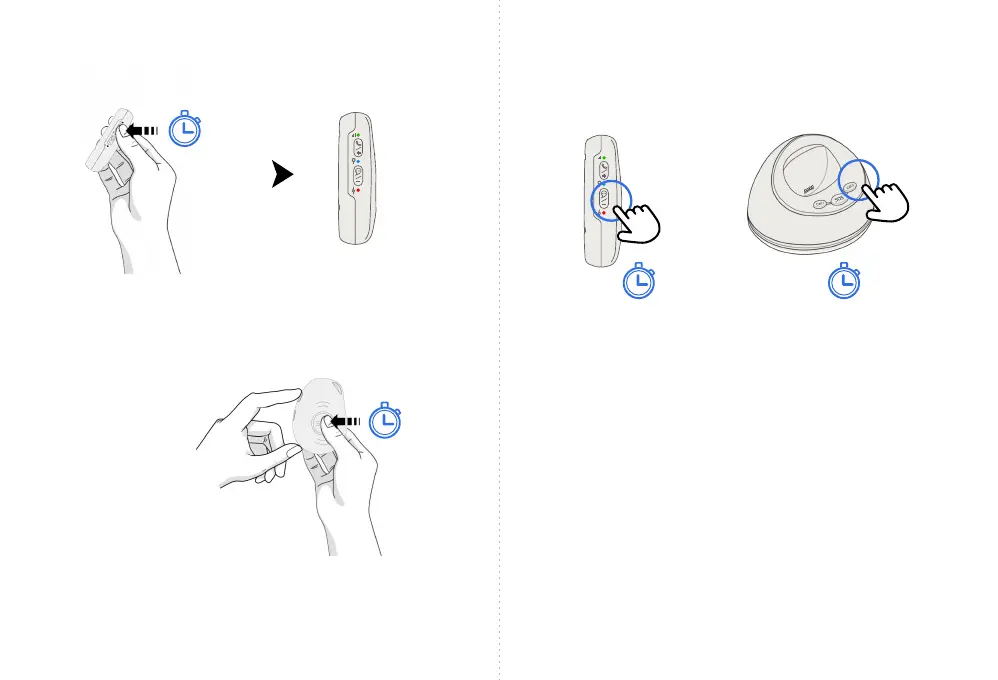
To turn the device on: Press the top side Power button for
1 second. All of the LEDs will ash rapidly. The device can
also be turned on by connecting the device to the magnetic
USB cable or by putting it into the optional charging base.
Switching the iHelp Mini, On and Off
To turn the device off: Simultaneously press and hold
the top side Power button and SOS button for 3 seconds
until all of the LED lights turn off.
(All LEDs will flash rapidly)
Pairing your iHelp Mini
with the (optional) Charging Base
Simultaneously press and hold the iHelp Mini bottom side
button for three (3) seconds and the Call 2 button on the
charging base. The device and charging base will then pair to
each other via bluetooth. This allows you to press the SOS
button on the charging base to activate the device.
3sec.3sec.



 To Next Page