iHelp Mini Owner’s Manual
12 13
Charging your device
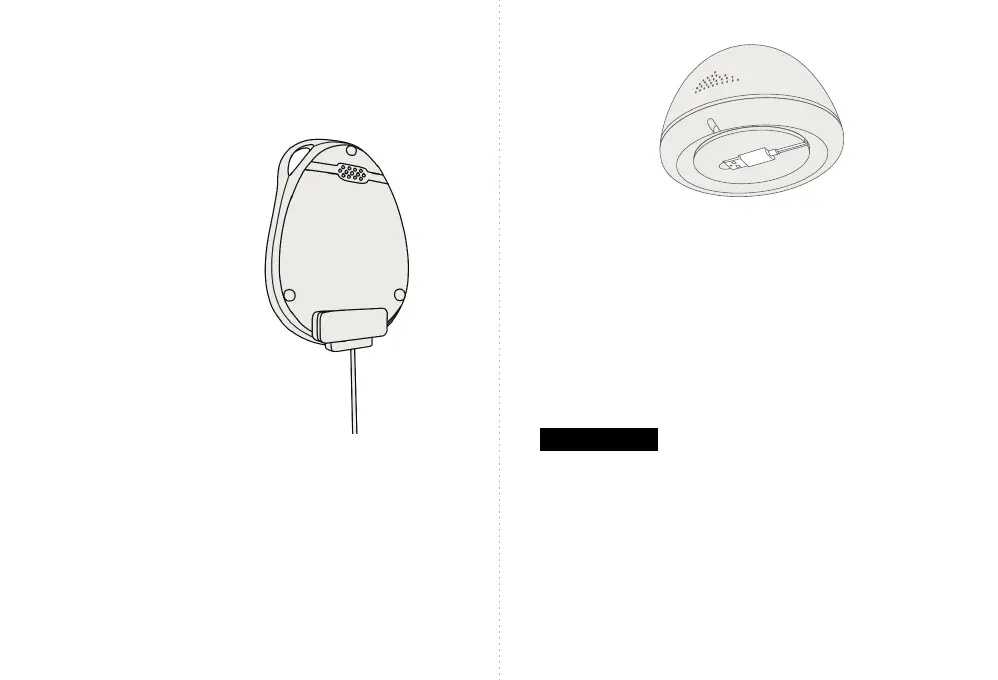
Charging by magnetic USB cable
• When connecting your device to the magnetic
USB cable make sure there is full contact.
• The red power indicator light will blink when charging
and remain steady when fully charged.
Two ways to charge your device.
Charging the device in the optional charging base
The USB cable is located underneath the charging base.
• Connect the USB cable to the AC adapter (included).
• Plug your AC adapter into a wall outlet.
• Place the iHelp Mini in the charging base.
The charging base light will pulse when charging and
glow when fully charged.
Please Note:
• When using the device for the rst-time, fully charge
the battery. This should take approximately 2-3 hours.
• In the event of a power outage, the charging base
contains a backup battery to help ensure your device
remains charged.
• When the battery charge falls below 20% the device
will emit a verbal “low battery” message.



 To Next Page