iHelp Mini Owner’s Manual
6 7
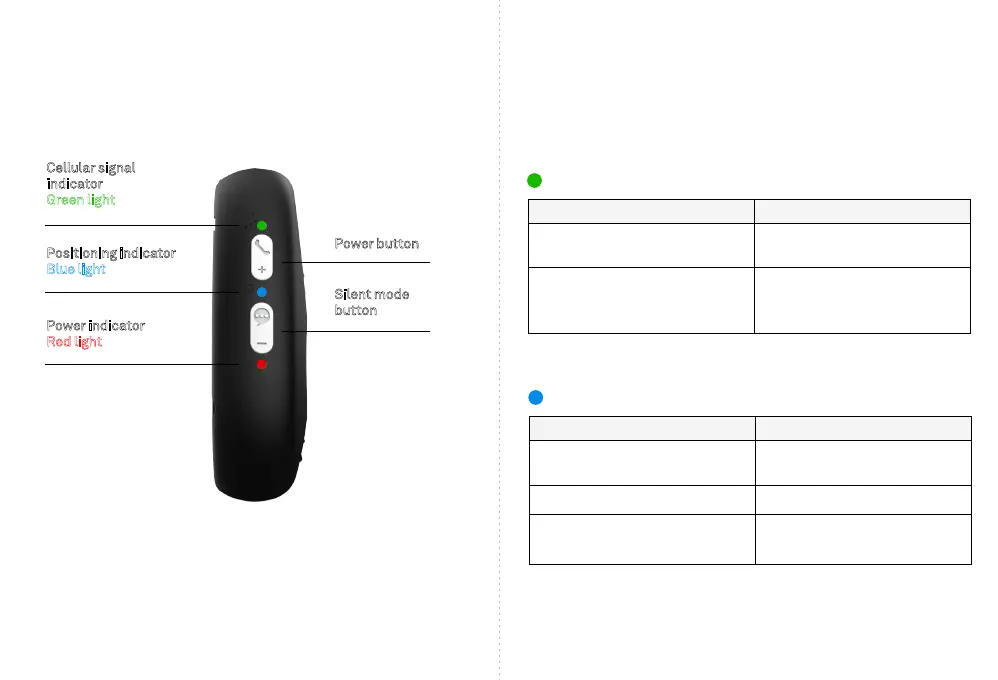
Cellular signal
indicator
Green light
Positioning indicator
Blue light
Power indicator
Red light
Power button
Silent mode
button
WHAT DO THE LIGHTS MEAN?
Green = Cellular signal indicator
Action
A single rapid ash every 3 seconds
A double ash every 3 seconds
Represents
Device has a stable and strong
Cellular signal
The device is registered to the
Cellular network but does not have
a strong signal
Blue = Positioning indicator
Action
A single rapid ash every 3 seconds
A double ash every 3 seconds
Lights OFF
Represents
The device does not have the
latest GPS location x
The device has the GPS location x
The device is not xed on the
latest GPS location



 To Next Page