APPENDIX
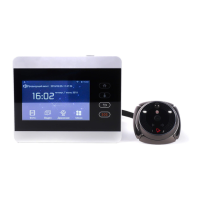
The connections between iHome5 device and smart phone
It consists of four parts, please read it carefully before operating iHome5.
Part 1. How to connect your smart phone with iHome5 device
(Note: iHome5 could work once you finish part one)
Step 1. Register a user account on Rollup App
Step 2. Connect iHome5 device with your Wi-Fi
Step 3. Keep iHome5 under user binding window
Step 4. Bind iHome5 device to Rollup App
Part 2. App live Video Feed by Two Ways
1) App live video feed by pressing the doorbell
2) App live video feed by PIR motion alarm
Tips: How to set PIR motion on iHome5 device
Part 3. Set parameter for iHome5 App on smart phone
Part 4. Check new firmware version and how to update by wireless


 To Next Page