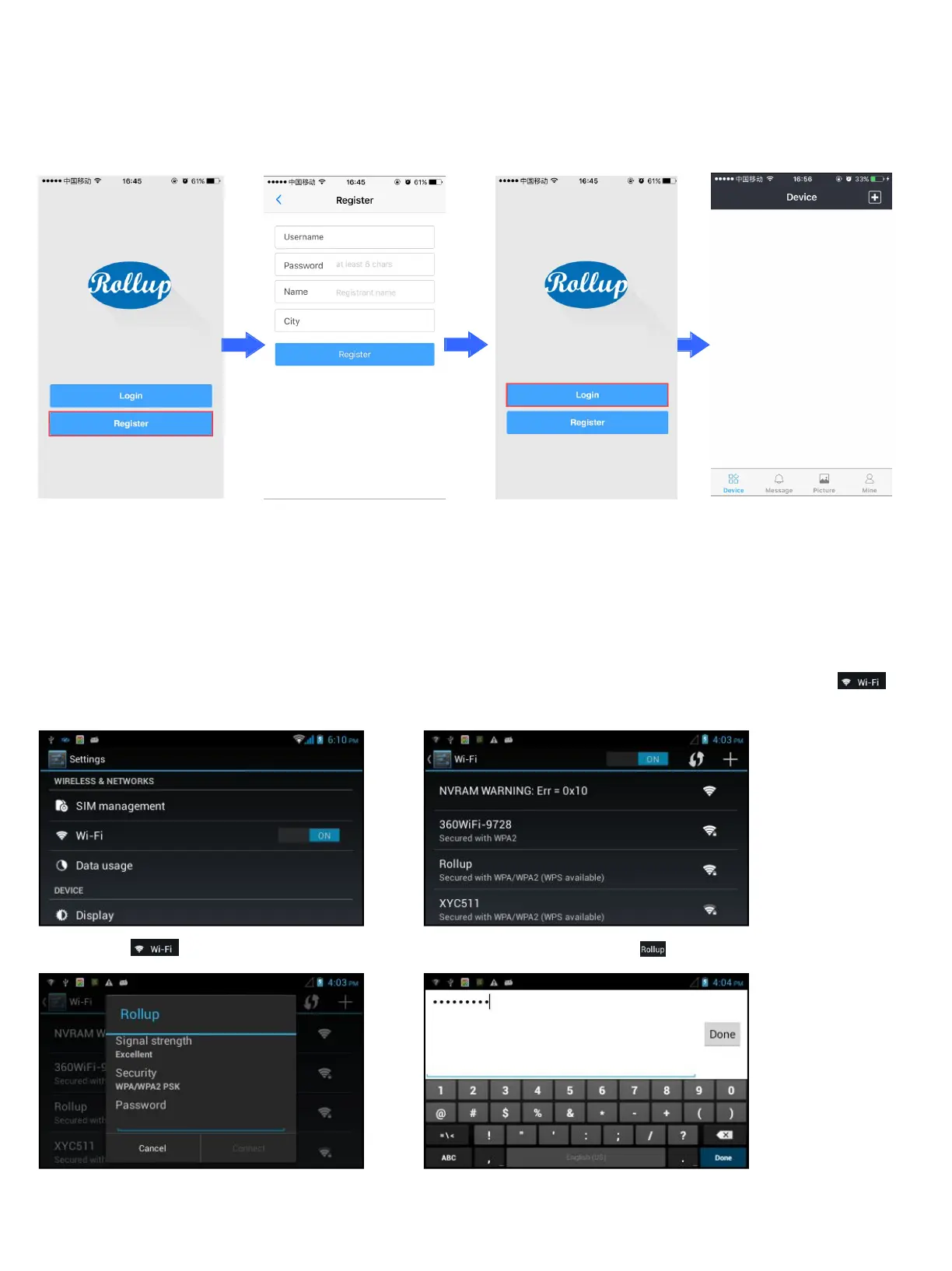
Part 1. How to connect your smart phone with iHome5 device
Step 1. Register a user account on Rollup App
Notes: You could download the App ”Rollup” from Google play or Apple store.
Step 2. Connect iHome5 device with your Wi-Fi
To make iHome5 device work with Rollup App on your smart phone, you need connect device with your Wi-Fi at first, below
shows the process of connecting iHome5 device with Rollup Wi-Fi as an example(enter settings menu,you will find ).
1) Click to enter Wi-Fi page 2) Wi-Fi page, Click


 To Next Page