4
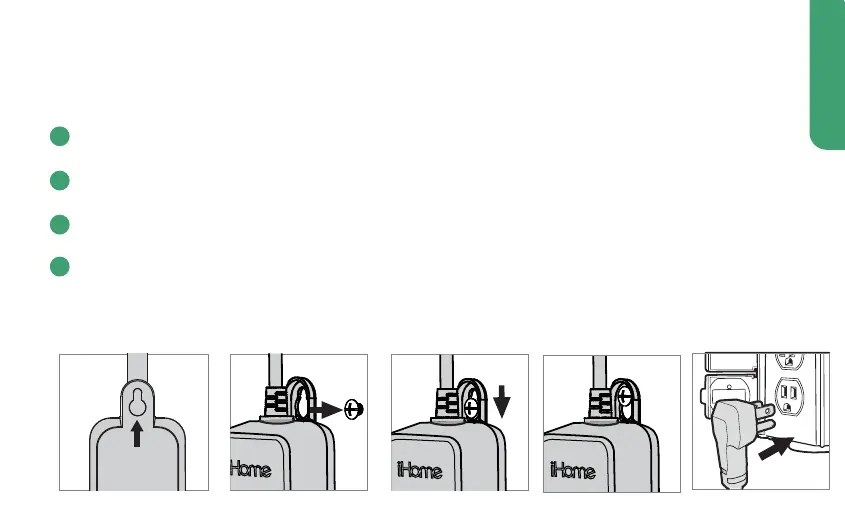
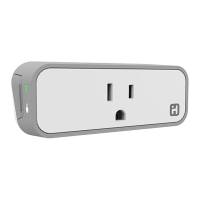
Mounting your iSP100 (optional)
Choose a mounting placement that positions the bottom of your iSP100 at least 2ft
from the ground.
Mark the area behind the center of the mounting tab with a pencil. Move the iSP100
away from the wall for the next step.
Install the screw into the wall using an appropriate tool. Leave around ¼” of the screw
exposed from the wall.
Place the mounting hole of the iSP100 over the screw and allow it to hang. Do not
over-tighten.
*The supply cord of this control can be replaced only by the manufacturer or his
accredited service agent
1
2
3
4
A screw has been provided for your convenience. If you choose to mount your
iSP100 SmartPlug on an exterior wall we recommend following these steps:
Mounting
Tab


 To Next Page